


Electronic invoicing
The invoice comes out of the document
BeebeeBusiness is the cloud-based management software that simplifies electronic invoicing. Send invoices to the Exchange System with one click, receive automatic notifications, and manage assets and liabilities from a single platform. Fully integrated with the SdI (Italian Financial Interchange System) and your accountant.
Everything you need for compliant electronic invoicing
Single or bulk submission to the Exchange System, real-time notifications, automatic receipt of passive invoices.
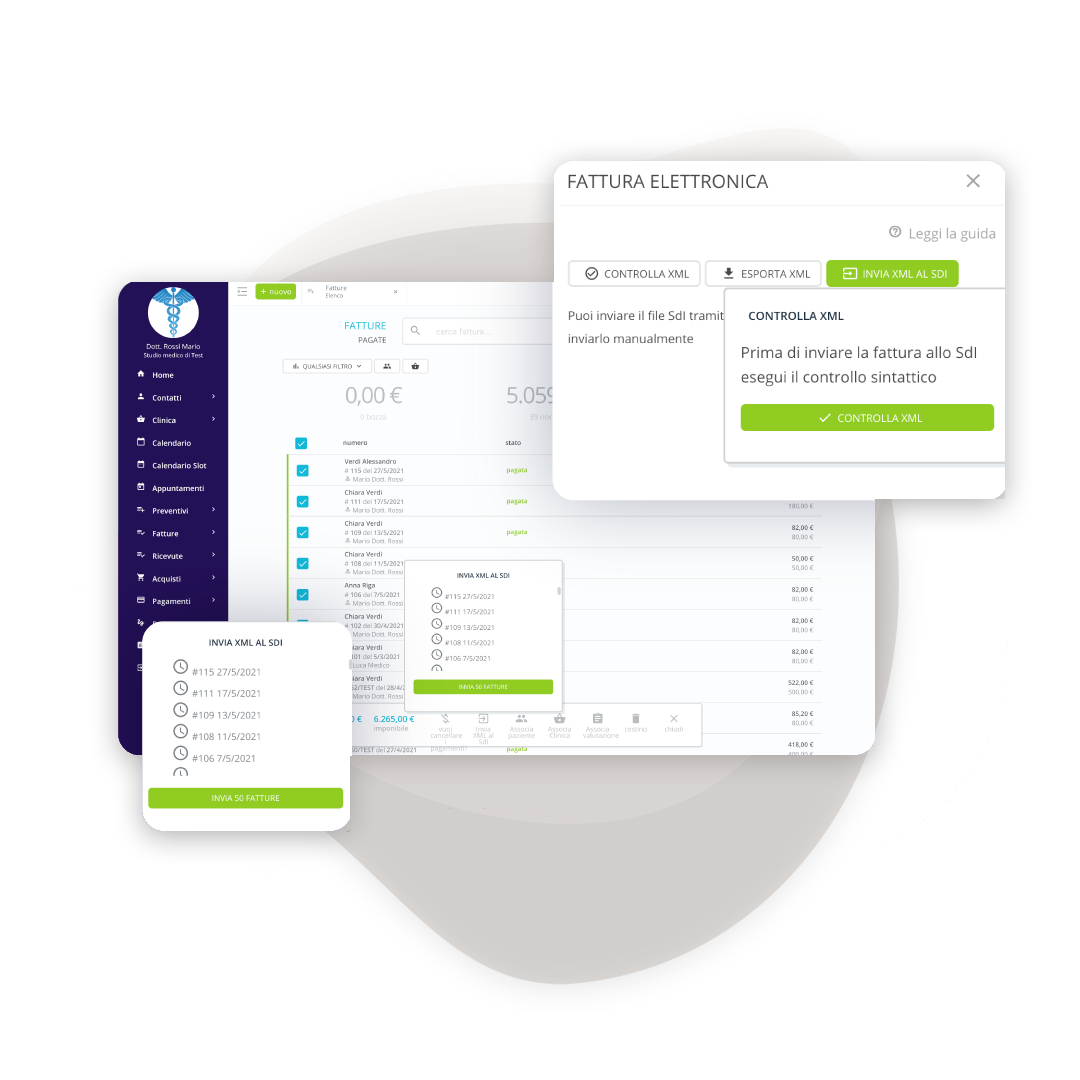
Sending invoices to the Interchange System
Single or bulk: you choose how to send
Send immediately after issuance or collect monthly/quarterly invoices and send them all in one go. The system automatically checks their validity before sending. SdI notifications appear directly on the platform as soon as they arrive.
Real-time outcome monitoring
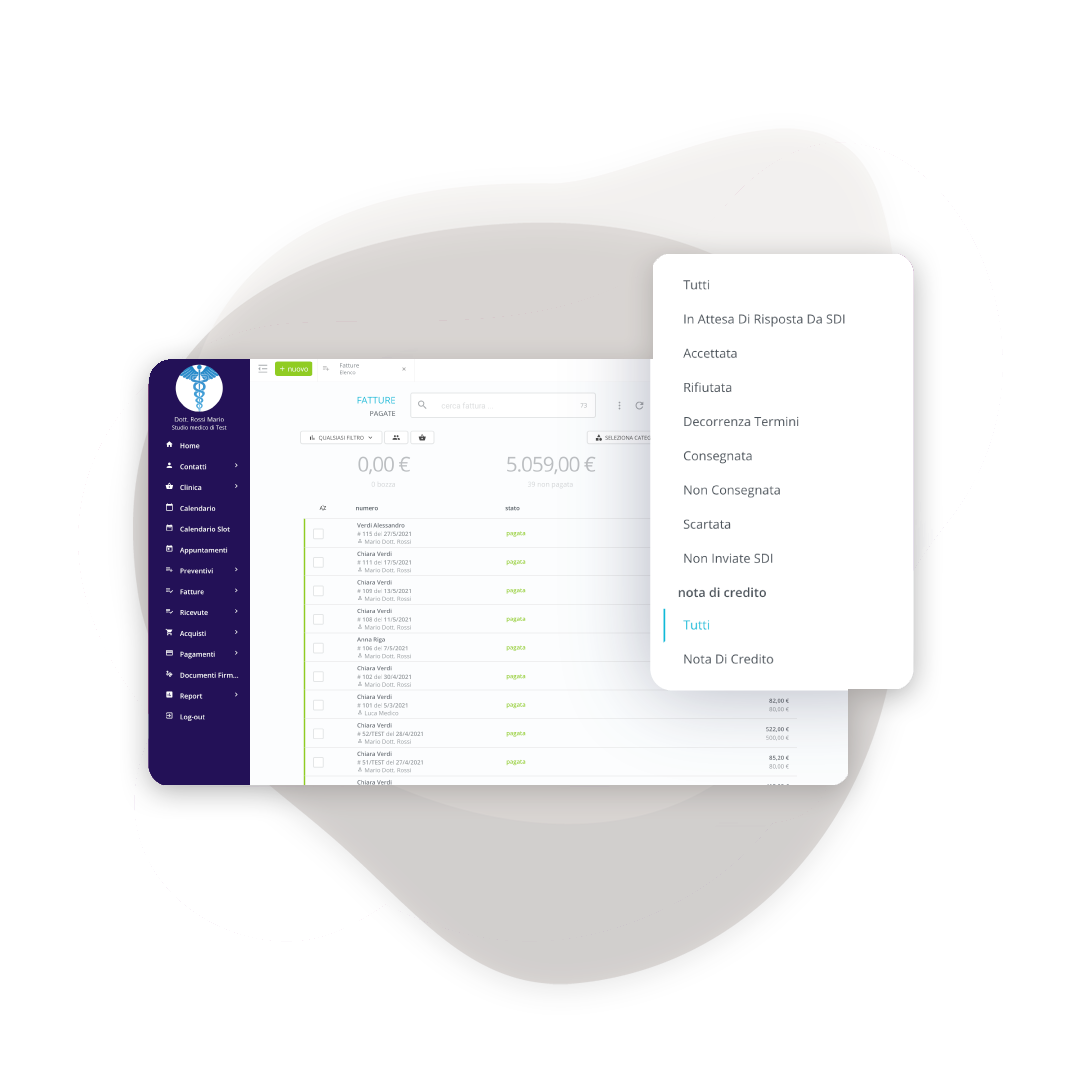
Automatic notifications for every operation
Send to individuals, companies, or public administrations without worries. Receive SdI notifications automatically: accepted, delivered, or rejected. Edit and resend rejected invoices in seconds, everything tracked and under control.
Automatic receipt of passive invoices
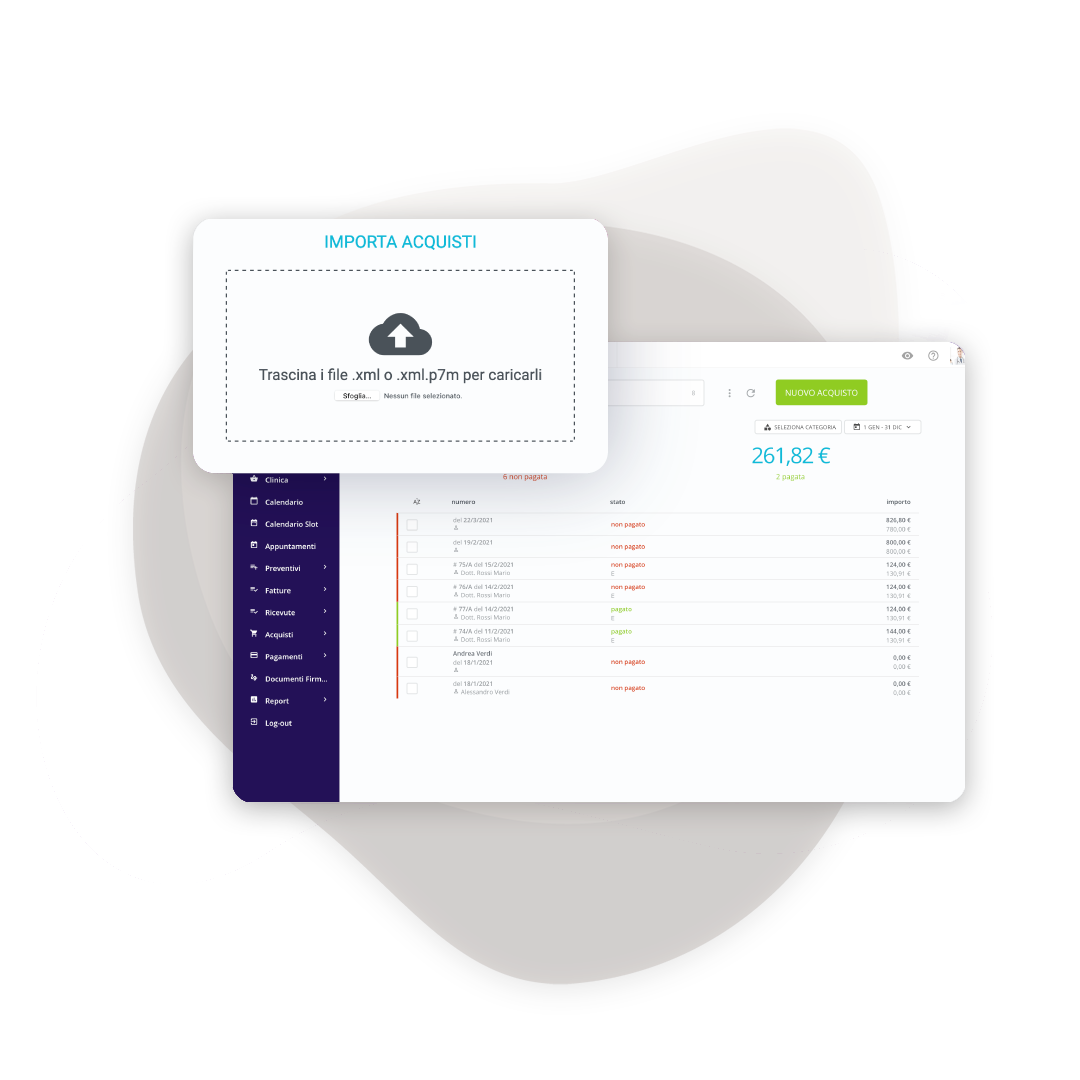
Zero manual entries for purchases
The invoices you receive automatically arrive in the purchasing section. The system creates the supplier file, imports the tax information, and attaches the original XML file. You check and confirm: saving time and eliminating transcription errors.
Easy sharing with your accountant
Mass export in standard format
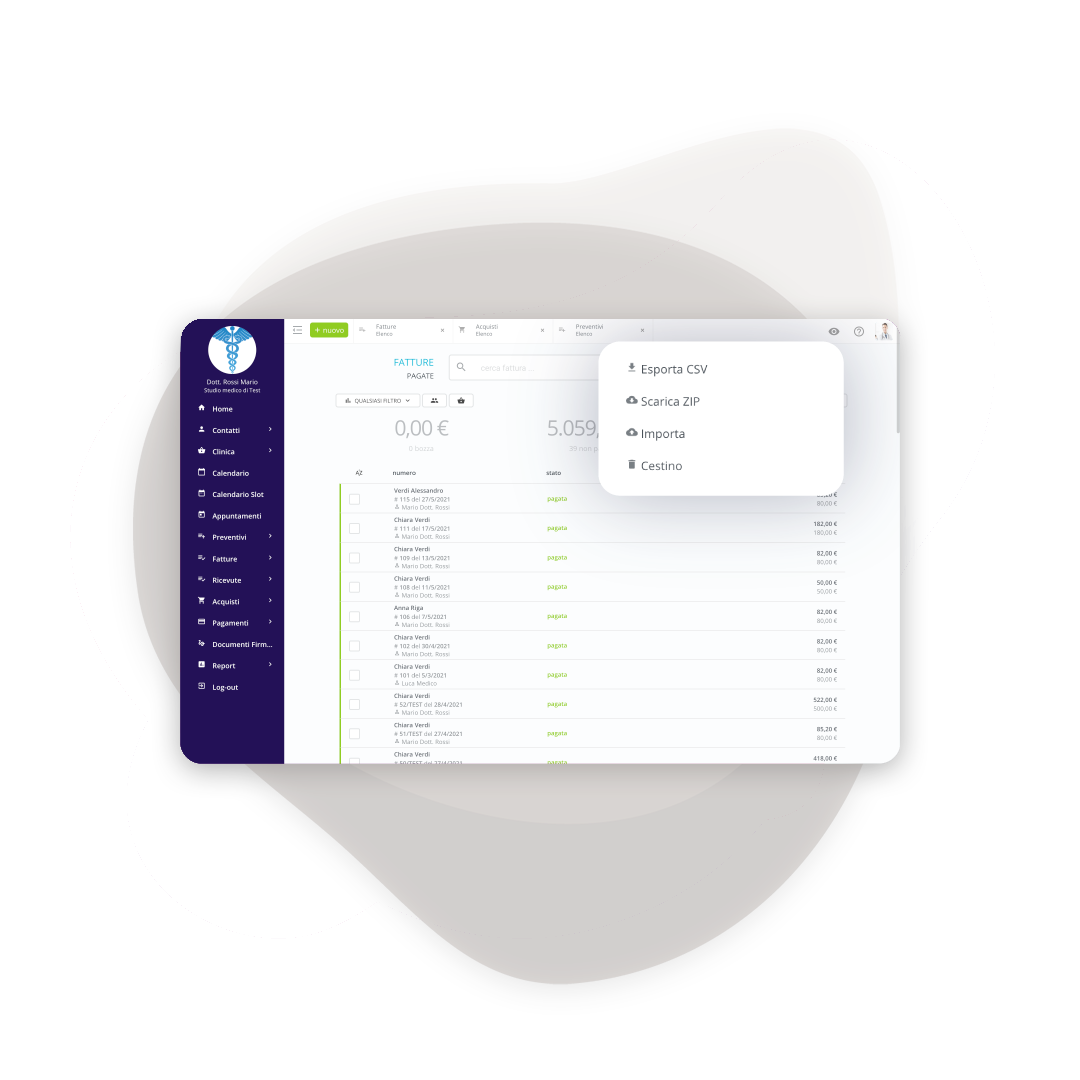
Download all your active and passive invoices in XML format to send to your accountant. He can then import them en masse into his accounting software. Or he can create a dedicated account with read-only permissions: he can see everything without touching anything.
Frequently asked questions about electronic invoicing
You create a standard invoice from your customer record. BeebeeBusiness automatically converts it into the XML file required by the Revenue Agency and sends it to the Exchange System. All the technical procedures are handled by the system; you only need to worry about the content.
Issue a credit note for the full amount. The credit note must also be sent as an electronic invoice to the Exchange System and cancels the original document in the accounts. This is the correct procedure and complies with regulations.
Yes. By activating the service, you'll receive a new unique code to set in your tax drawer. The Exchange System uses it to deliver invoices to BeebeeBusiness. You don't need to notify your suppliers: the change is automatic and no invoices will be lost.
All VAT holders, except those participating in the flat-rate or advantageous scheme (who can still issue one voluntarily) and small agricultural producers exempt by law. Electronic invoicing has also been mandatory for private individuals since 2019.
Yes, it's a 100% cloud platform. No installation required, access from any device via browser. Data is synchronized in real time and protected by automatic backups on certified servers in the European Union.
BeebeeBusiness uses Trust Technologies as a certified intermediary for sending and receiving electronic invoices. Trust Technologies manages the interaction with the Exchange System (SdI) on BeebeeBusiness's behalf, ensuring compliance and reliability in transmissions.
They appear automatically in the purchases/expenses section. The letter "E" indicates that it is electronic and therefore cannot be modified. All invoices (issued and received) are also visible in the tax drawer of the Agenzia delle Entrate (Italian Revenue Agency).
Absolutely. Export all invoices in XML for bulk import into their software. Or create a user account with read-only permissions: view data and invoices without modifying anything. You can also send them automatic periodic reports via email.
Yes. Activate your free trial without a credit card. Test electronic invoicing, SdI integration, booking, quotes, and all the features. Our support team will assist you with the initial setup so you can get up and running right away.
Start your free trial today
Want to try BeebeeBusiness? The trial is free! You won't need to enter your credit card, and for 15 days you can explore all of BeebeeBusiness's features.