


Confirming hours worked
Hours are closed from the phone
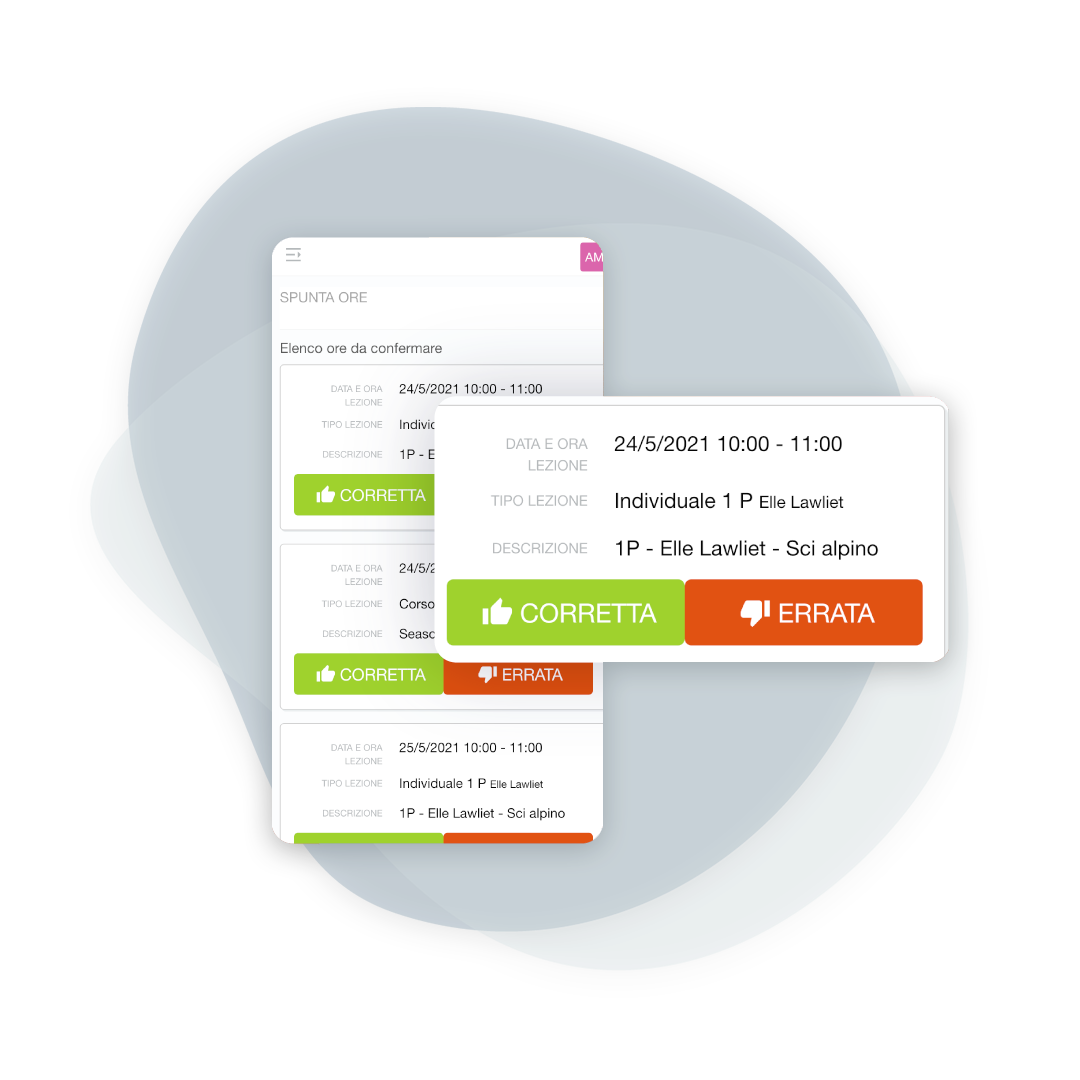
At the end of the lesson, the teacher confirms within seconds what has been covered. The timetable remains aligned with reality, and the administration immediately identifies any anomalies.

BeebeeSki
Hours vs. lessons completed: immediate comparison, automatic reporting
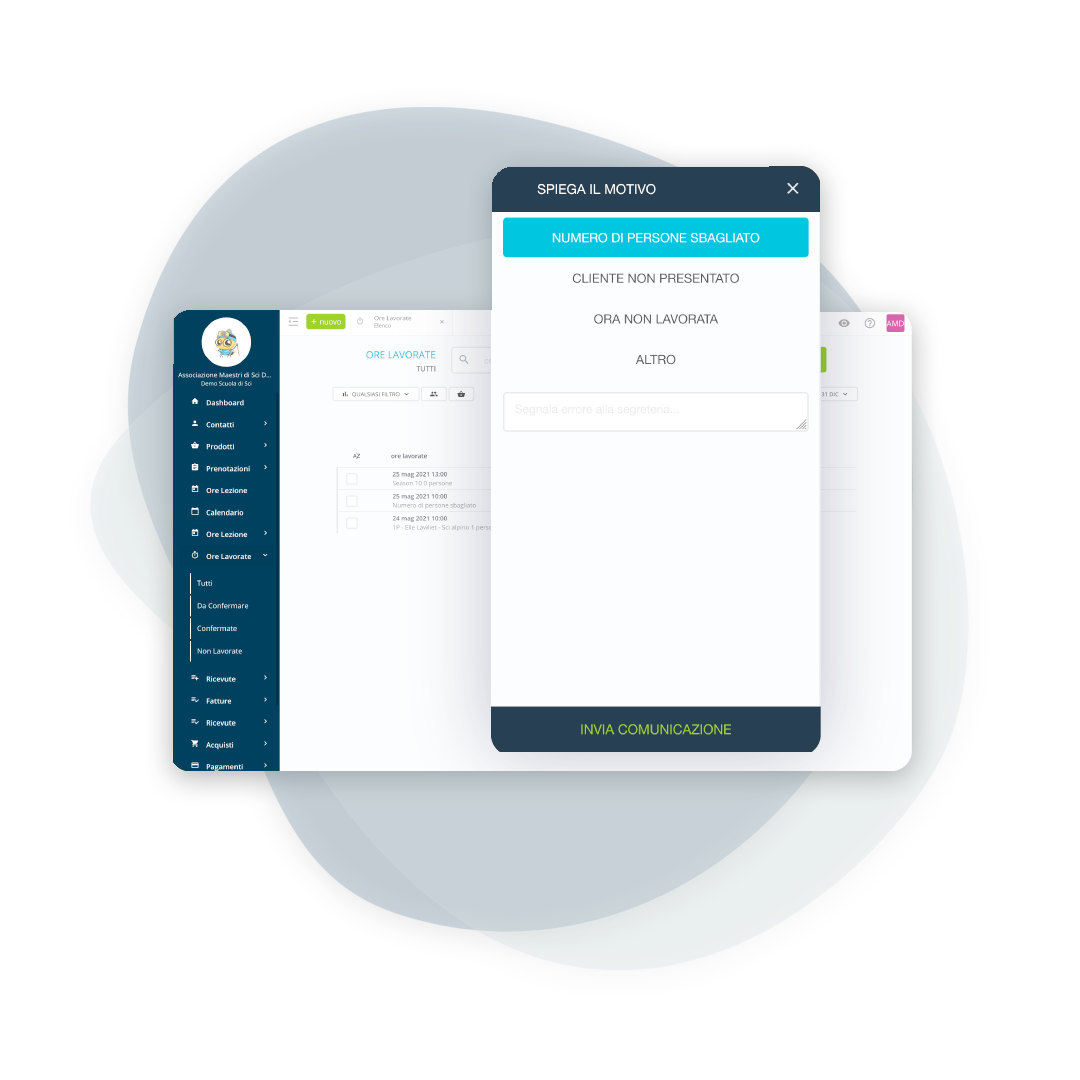
If something isn't right (number of participants, absent guests, changes in duration), the app notifies the administration: resolve it before it becomes a problem in the accounting or in the payroll.
Quick confirmation at the end of the lesson
The hours completed are validated by the teacher
Once the teacher confirms, the office is assured that the lesson has actually been delivered. The validated hours are those that feed the teacher's "workload" and ensure reliable reporting and payroll.
Report errors or changes in real time
If there is an inconsistency, the secretariat knows about it immediately
The instructor can report discrepancies between the reservation and the actual lesson (for example, different participants, absent client, different duration). The administration office receives the notification and can immediately take action regarding reservations, payments, or rescheduling.
Only what is confirmed makes it “total”
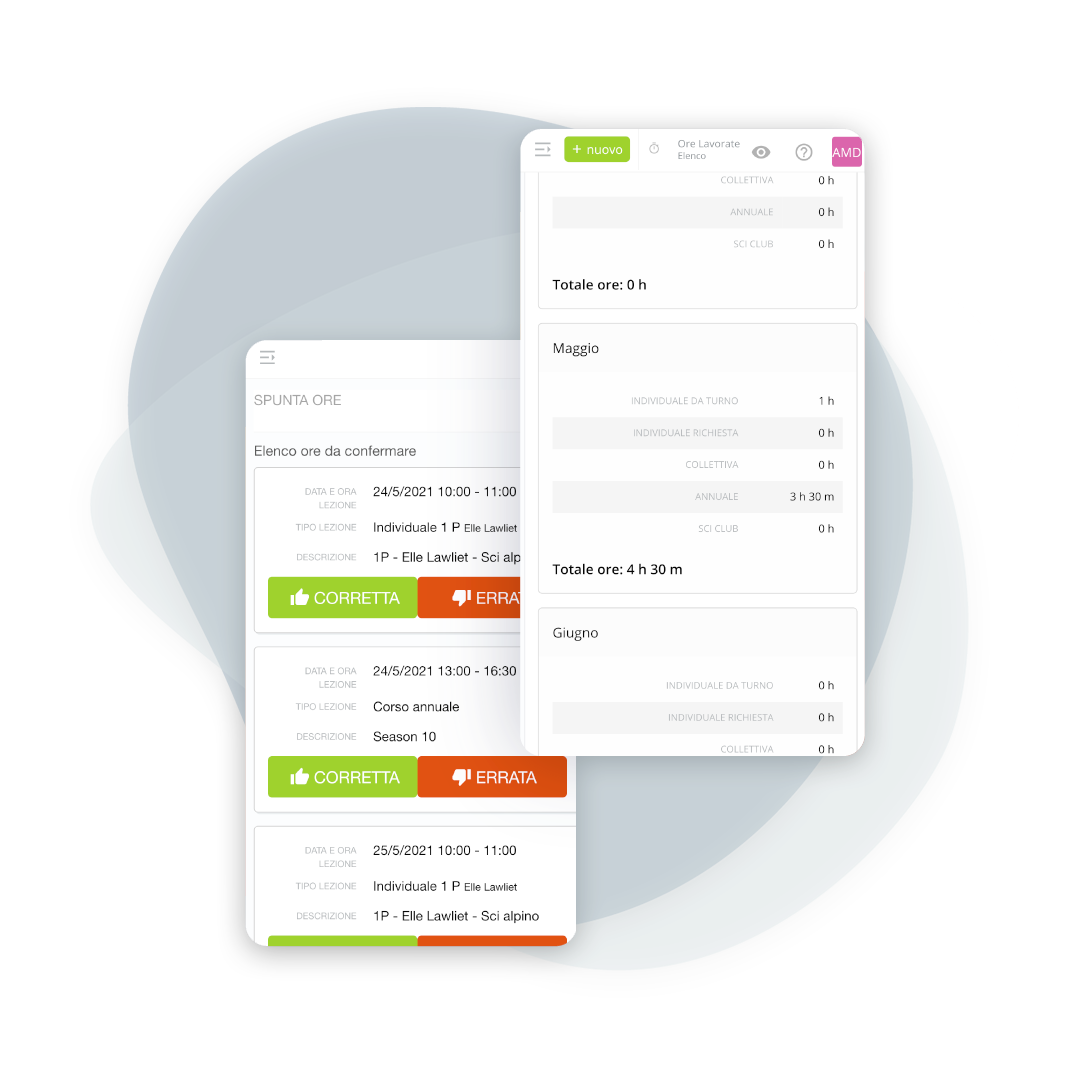
Confirmed hours are included in the teacher's monthly total.
Counting is simple and transparent: unconfirmed hours remain "pending" and do not affect the workload. This way, you avoid disputes and always have numbers consistent with the lessons taught.
Analysis by month and by type
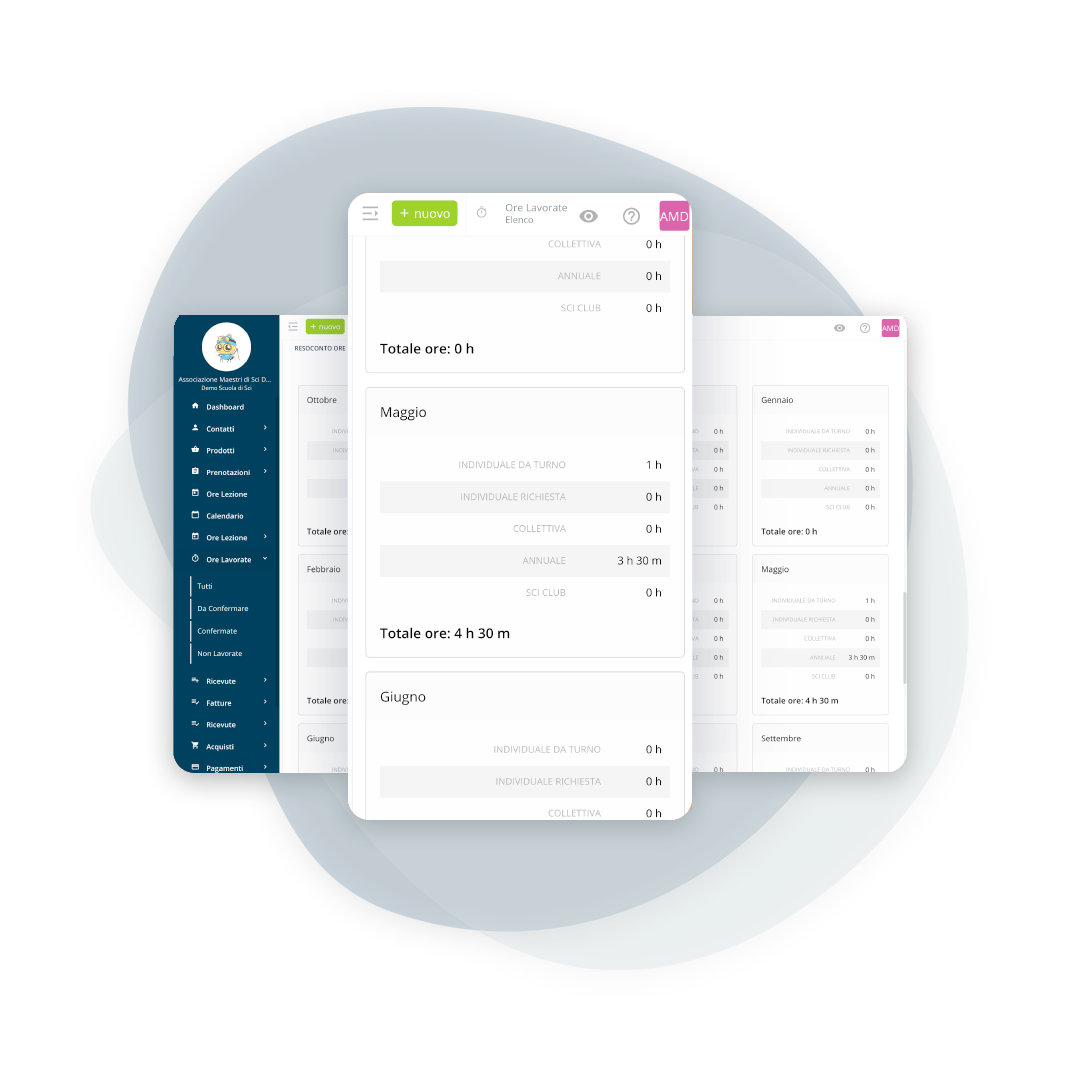
Monthly report of lessons held
Reports based on actual confirmed hours (not just "per schedule"), broken down by month and category: individual lessons (shift and requested), group lessons, courses, and ski clubs. Perfect for internal audits and reporting.
Frequently asked questions about hours confirmation
Yes, it's possible to enable automatic confirmation. It's generally recommended only if the school has very stable processes and the timesheet is always accurate. Manual confirmation, however, holds teachers accountable and reduces errors.
The secretary sees the notification in the list of unconfirmed times and can correct the booking, participants, and fees, or handle the no-show. The goal is to close the class with correct data before it impacts earnings and work.
Usually immediately after class, directly from your smartphone. In any case, the times remain available for confirmation, according to the rules established by the school.
No. The monthly total is calculated only on confirmed hours: it's the simplest way to have a reliable and shared count.
The office, with its own account. It is needed in cases where the instructor cannot do it: the confirmation stays tracked with whoever made it, and that is the point of the function.
Yes, by anyone with the permissions to do it. The correction stays visible in the history, because on a figure that becomes pay a silent change is not acceptable.
Yes, hours worked are exported by period and by instructor, which is the format needed by whoever prepares the pay at the end of the month or the season.
It does not count towards the confirmed hours, but stays on file with the reason for the cancellation. It is what lets you work out why a day brought in less than had been booked.
Let’s talk about your ski school
Have any other questions? Contact us now!