


Group and season-long courses
Groups that stay in order
Book group lessons, assign instructors to course dates, and create groups based on age and skill level. With BeebeeSki, you have a dedicated area that reduces chaos in the office and helps instructors work more efficiently.

BeebeeSki
A dedicated area to manage courses, members, levels and attendance
All the important information is gathered in one place: participants, instructors, groups, days, and summaries. This way, you can make quick decisions and work without surprises.
Membership and daily attendance at a glance
List of participants
In the course page, you can view the list of students enrolled in a table (and export it to PDF if needed). You can filter by level and instantly see: name, date of birth, product purchased, and daily attendance. A quick overview of who's present, who's missing, and how their days are going.
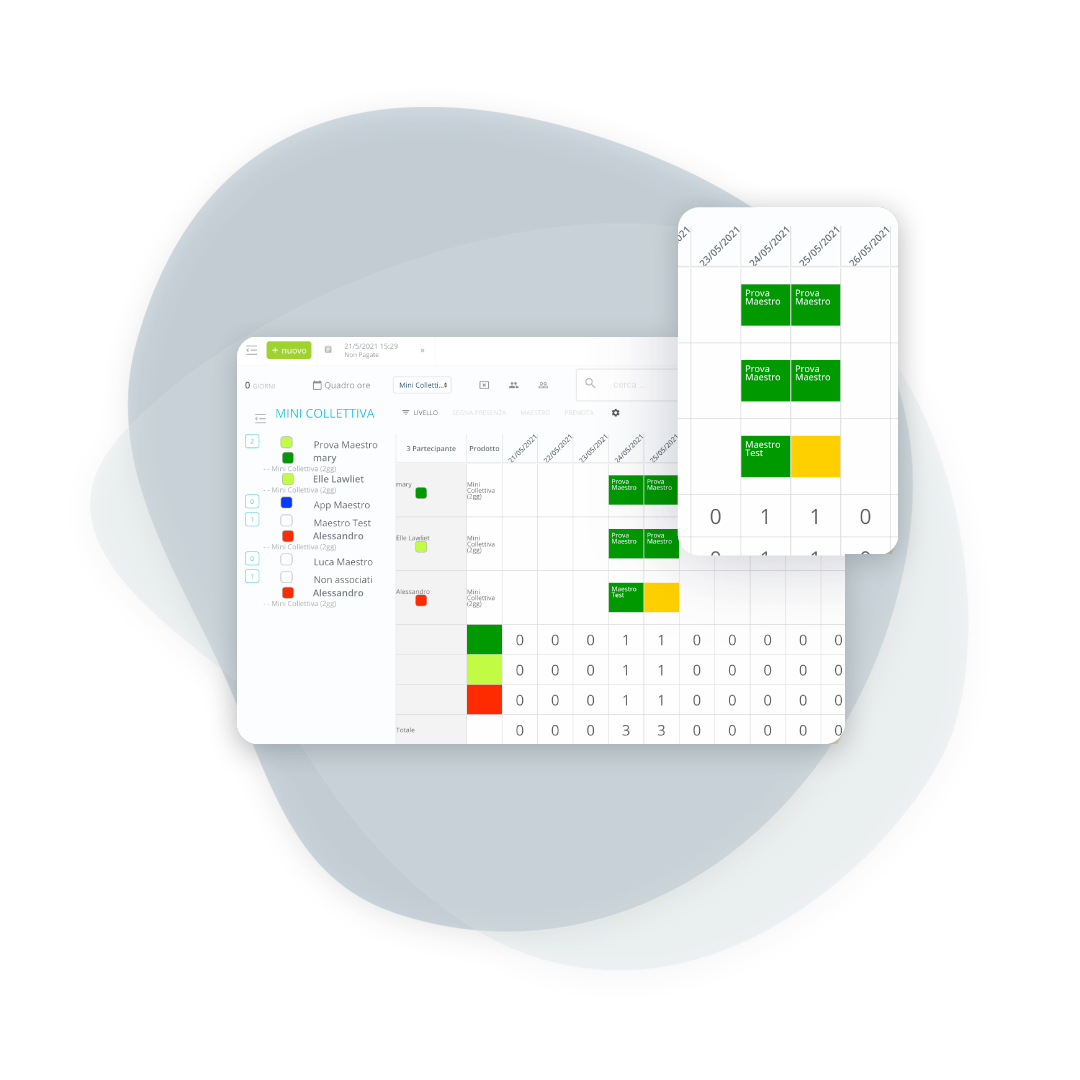

You always know who is operational on the course
Masters involved in the course
For each course, you'll find a list of instructors assigned to the scheduled dates. To make organization even easier, you can assign a reference level to each instructor, so group distribution starts with a clear logic.
Create homogeneous groups and reduce chaos at the gathering
Assign participants to teachers
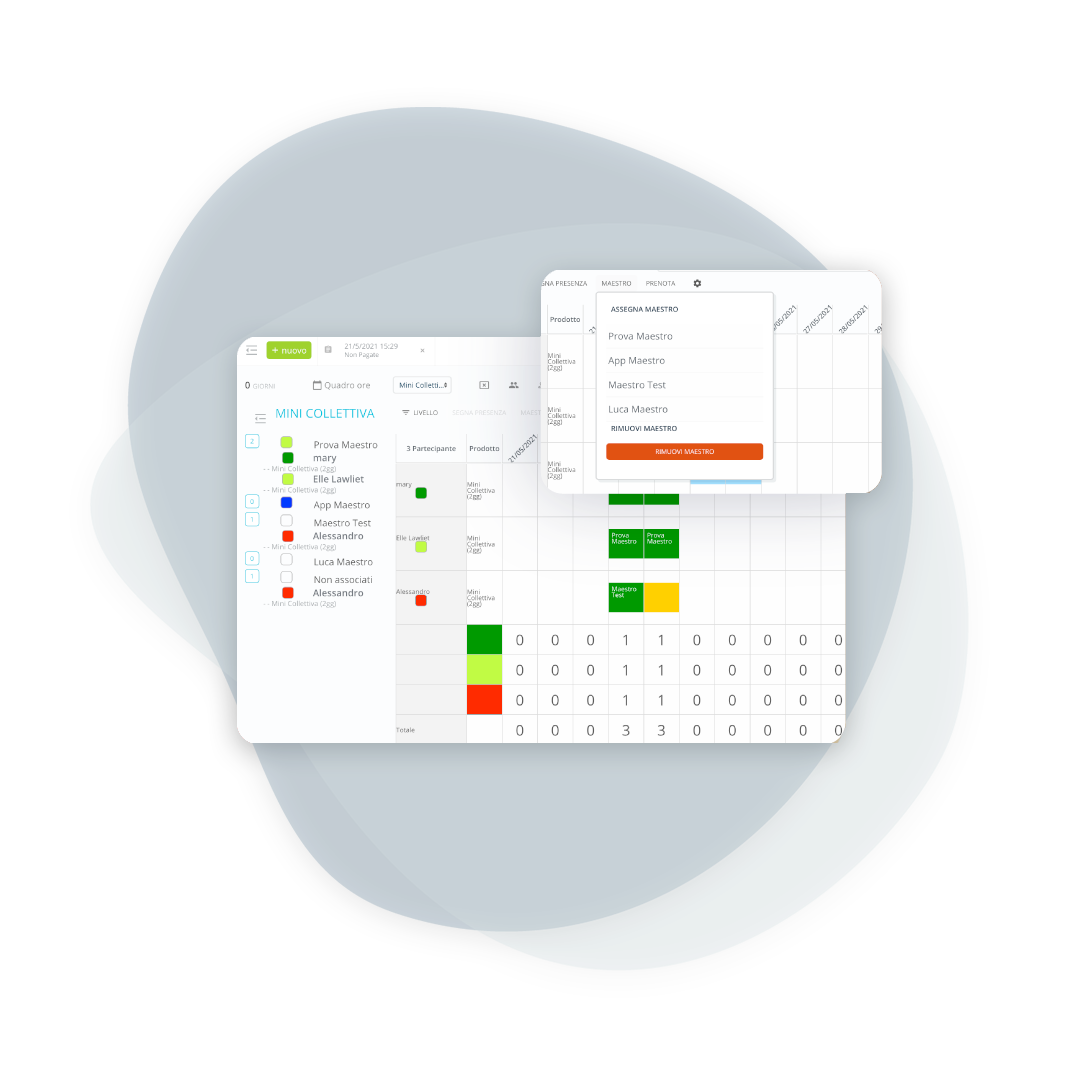
For each day, you can assign participants to a coach and keep the groups always accessible. Unassigned participants remain highlighted, so you don't miss anyone. In just minutes, you can build more balanced groups by age and skill level, improving the customer experience and on-track management.
A complete overview to help you decide quickly
Course Summary
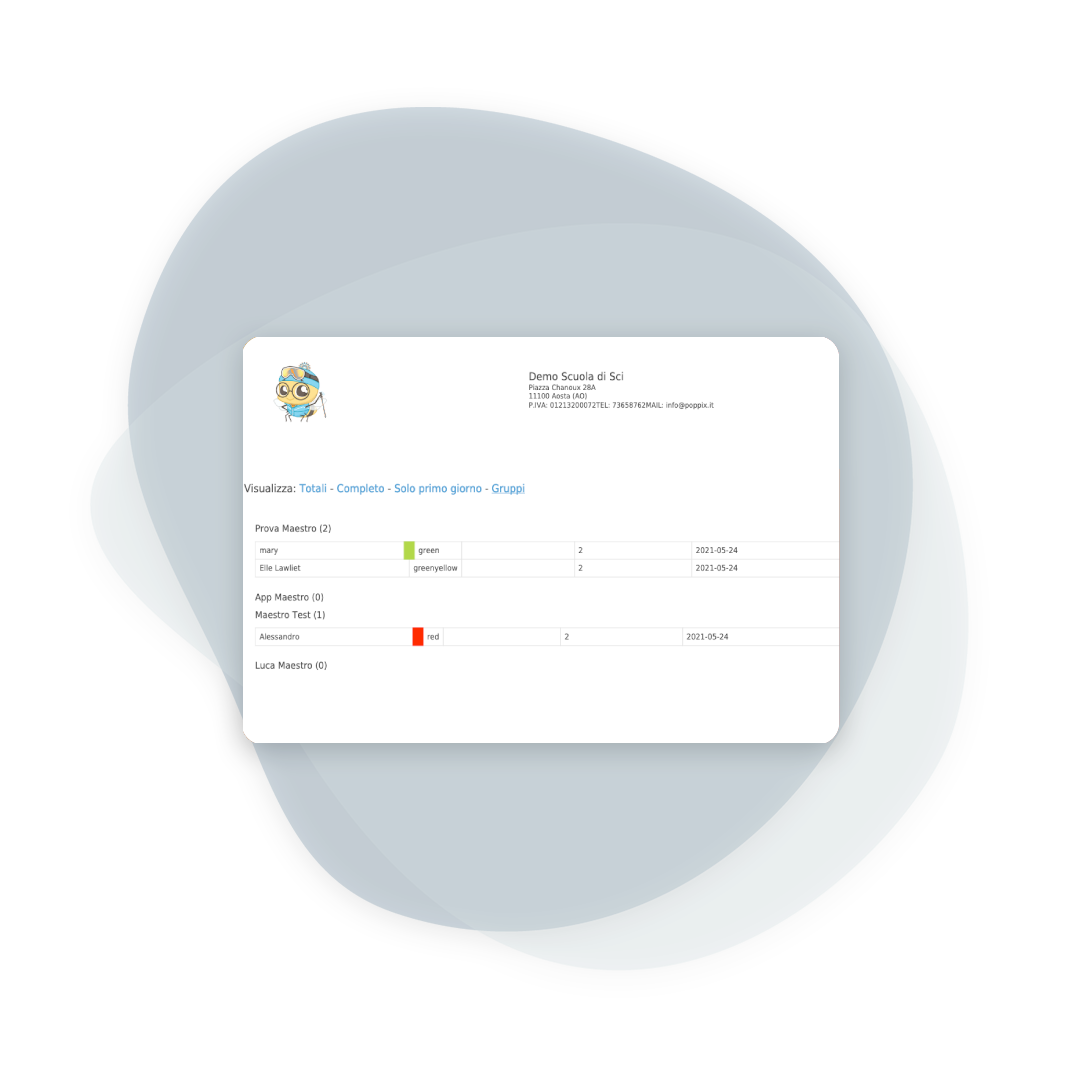
You get a comprehensive overview of your selected dates: total and level participants, daily attendance, available instructors, and existing groups. It's the ideal tool for balancing resources and managing unexpected events without wasting time.
When the course starts, flexibility is needed
Travel and attendance confirmation
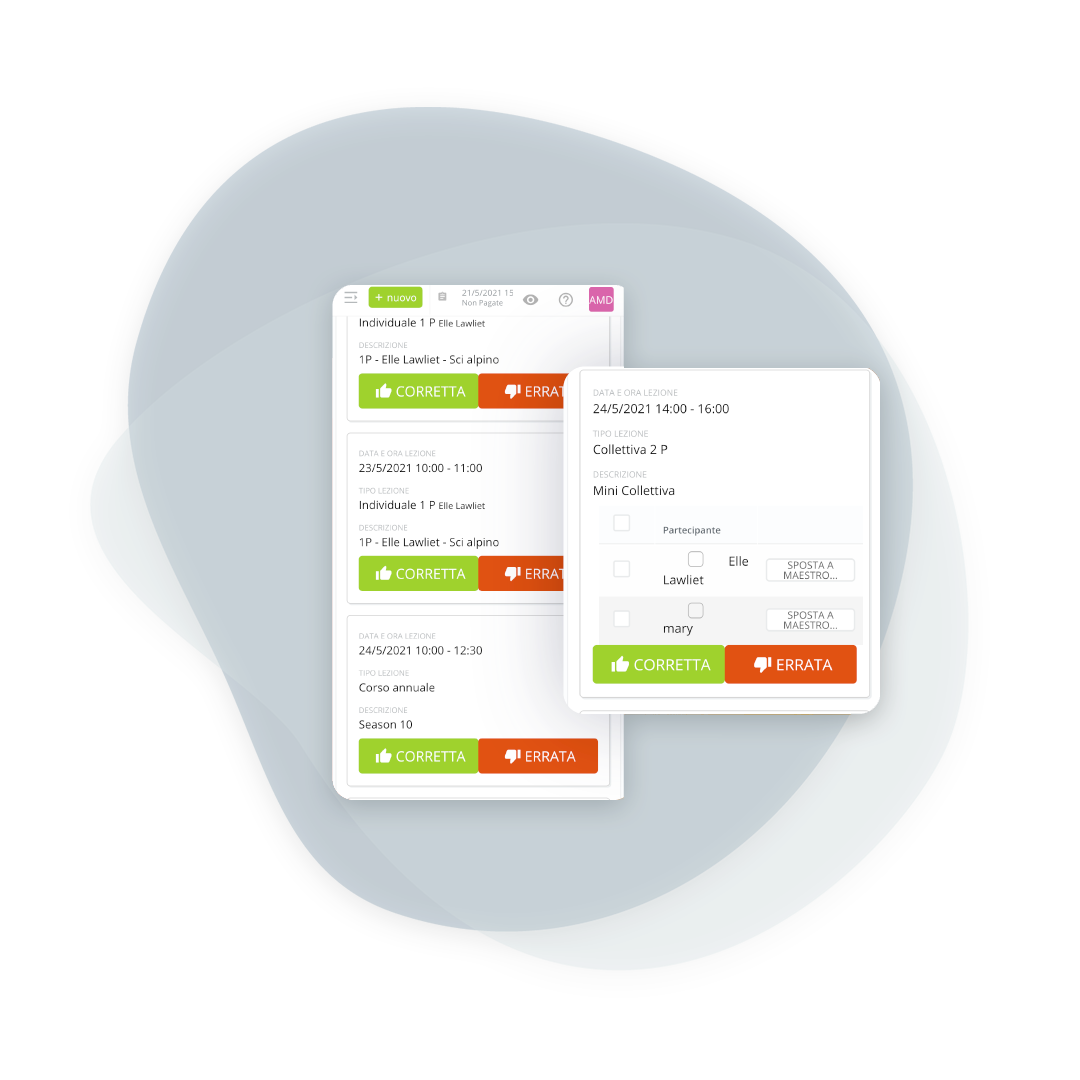
Even with pre-arranged groups, adjustments are natural: the administration and instructors can move participants between instructors quickly and easily. At the end of the lesson, the instructor confirms attendance by scanning the QR code or barcode on the ticket: perfect for "packaged" courses where the days are staggered, even if they aren't consecutive.
Frequently asked questions about course management
Yes. You can create "package" products (e.g., X days of group training) even without fixed dates. The client communicates the days of attendance in advance, and you manage them directly during the course, with attendance tracked and days that are automatically deducted.
No. The levels are customizable for each school: you can use letters (A, B, C, etc.), names (Eagle, Hare, etc.), or even color coding. This way, the groups truly reflect your teaching method.
No, it's optional. You can create groups in advance to speed up the course start, temporarily assign a level to an instructor and then reassign, or start without groups and manage the assignment on the first day. BeebeeSki helps you, without imposing any restrictions.
From the app, the instructor scans the QR code or barcode on the participant's ticket and records their attendance for the day. The same operation can also be performed by the receptionist, for consistent management.
Yes, and it almost always happens on the first day, after the assessment on the slope. The move updates group and instructor without touching what has already been collected.
The limit is set per course and the management software does not allow sign-ups beyond it. From there you open a second group or put the person on a waiting list, which is the decision the office wants to take at that moment and not discover on the slope.
It depends on the school's rules, not on the software: the management software records the absence and lets you enter the make-up lesson wherever the school decides to grant it.
Yes, courses and levels are picked up again and adapted to new dates and prices. Setting everything up from scratch every year is the quickest way to reintroduce errors already fixed.
Let’s talk about your ski school
Have any other questions? Contact us now!