


Signing forms and consents
Sign on the spot, no paper
With Beebeesign, you can eliminate paper in your office and have forms signed directly on your tablet: faster at the desk, organized documents, and traceable signatures.

BeebeeSki
Download the Beebeesign app (iOS or Android) and start signing on your tablet in minutes.
Collect privacy, releases, and consent forms without printing anything: switch to FEA (Advanced Electronic Signature) and archive everything neatly and securely.
Legal value and end-to-end digital flow
Advanced Electronic Signature (AES)
With Beebeesign, you can have documents signed with the same evidentiary value as a handwritten signature. Digitize the process: send the document for signature, have it signed on a tablet, and find it immediately archived on the platform, ready to consult or send.


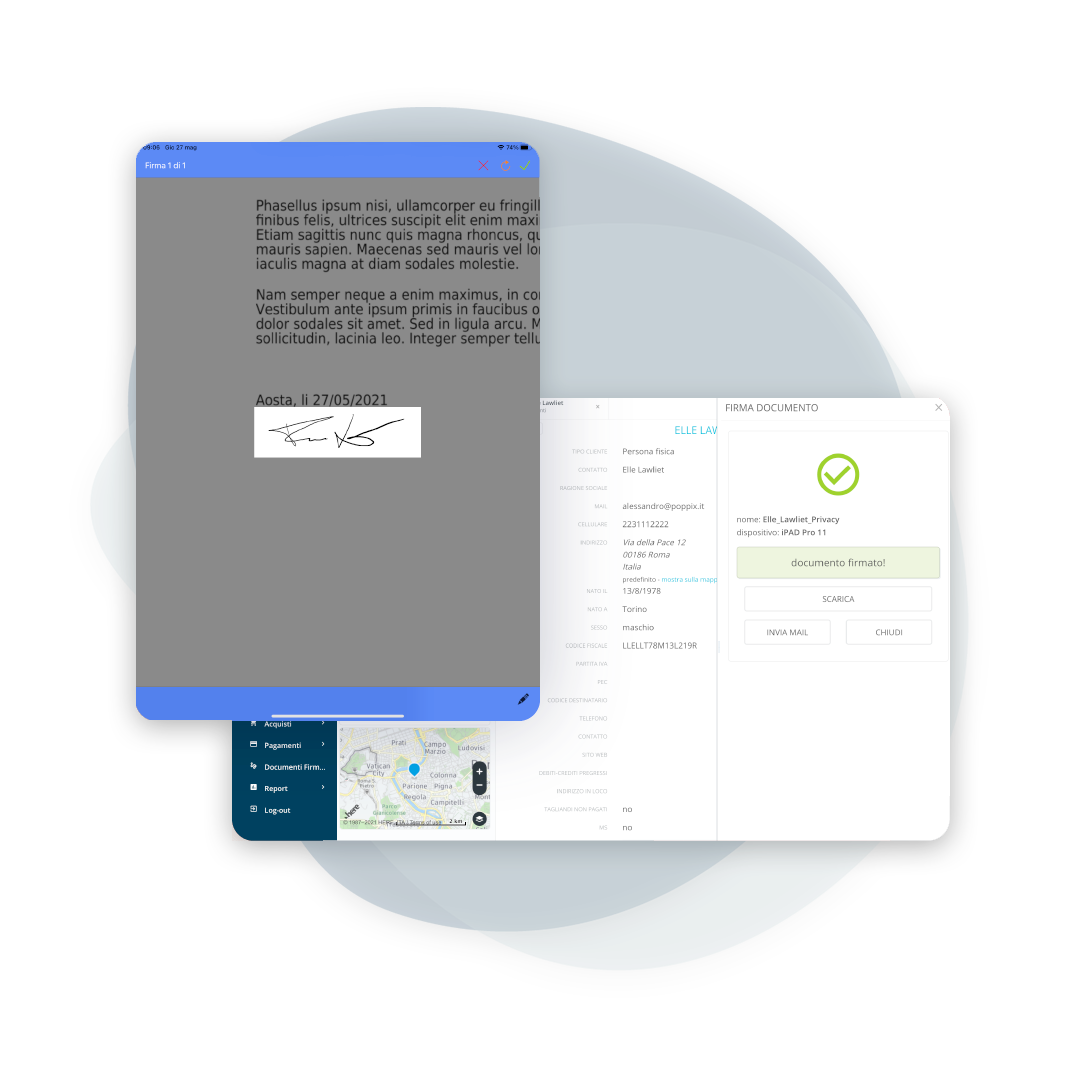
One device or multiple devices, depending on the operation
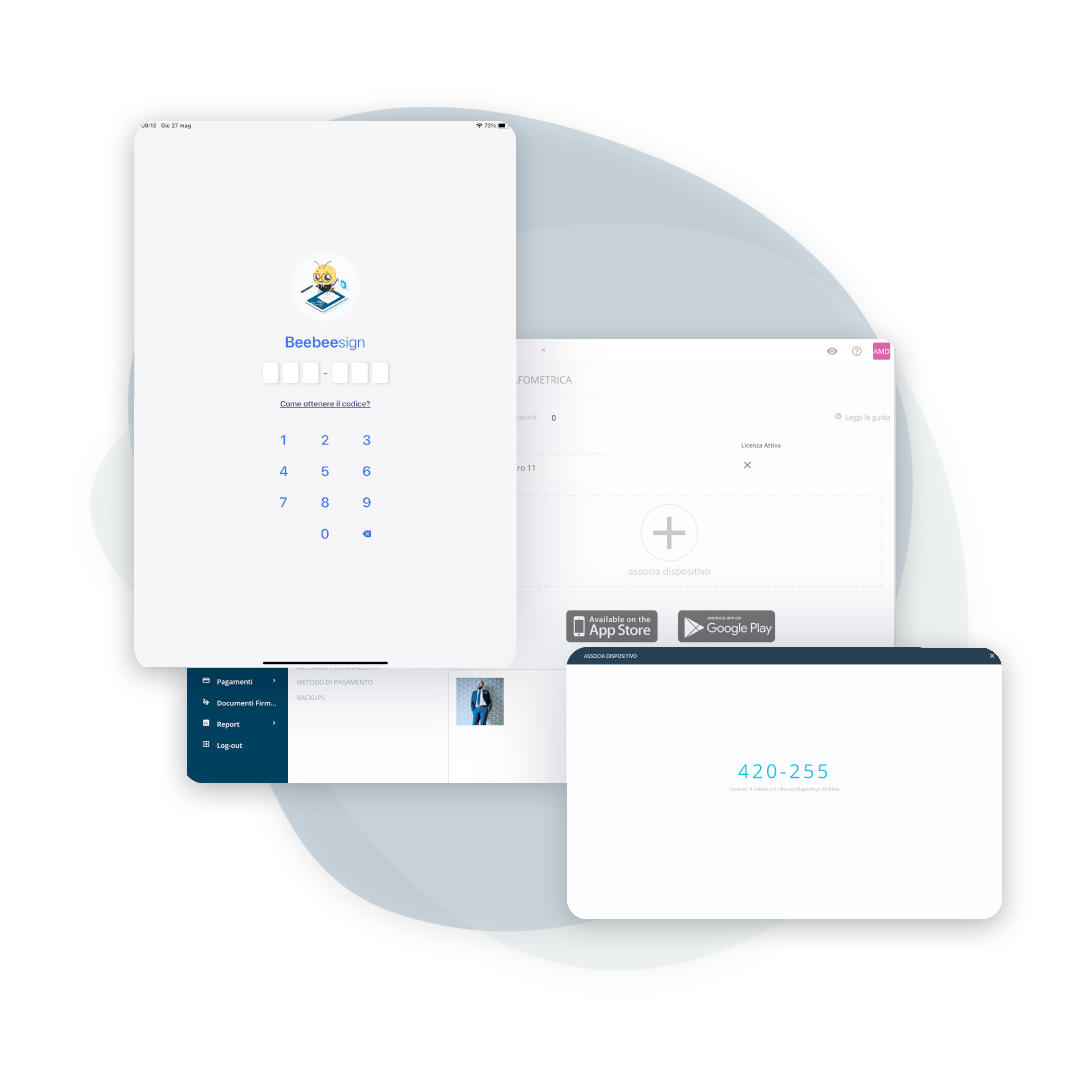
Pair one or more devices
Download the app, pair your device with the platform, and get started with the demo right away. When you're ready, activate the license on the device and make the process completely paperless. This way, you can manage multiple signing stations in your office (different tablets) without slowing down workflows.
Send to signature and have it signed without manual steps
Sign multiple documents in a single session
Send multiple forms simultaneously to your tablet and collect required signatures and checkmarks in a single operation: privacy, consent, releases, and other documents. The result: fewer queues at the counter and always complete documentation.
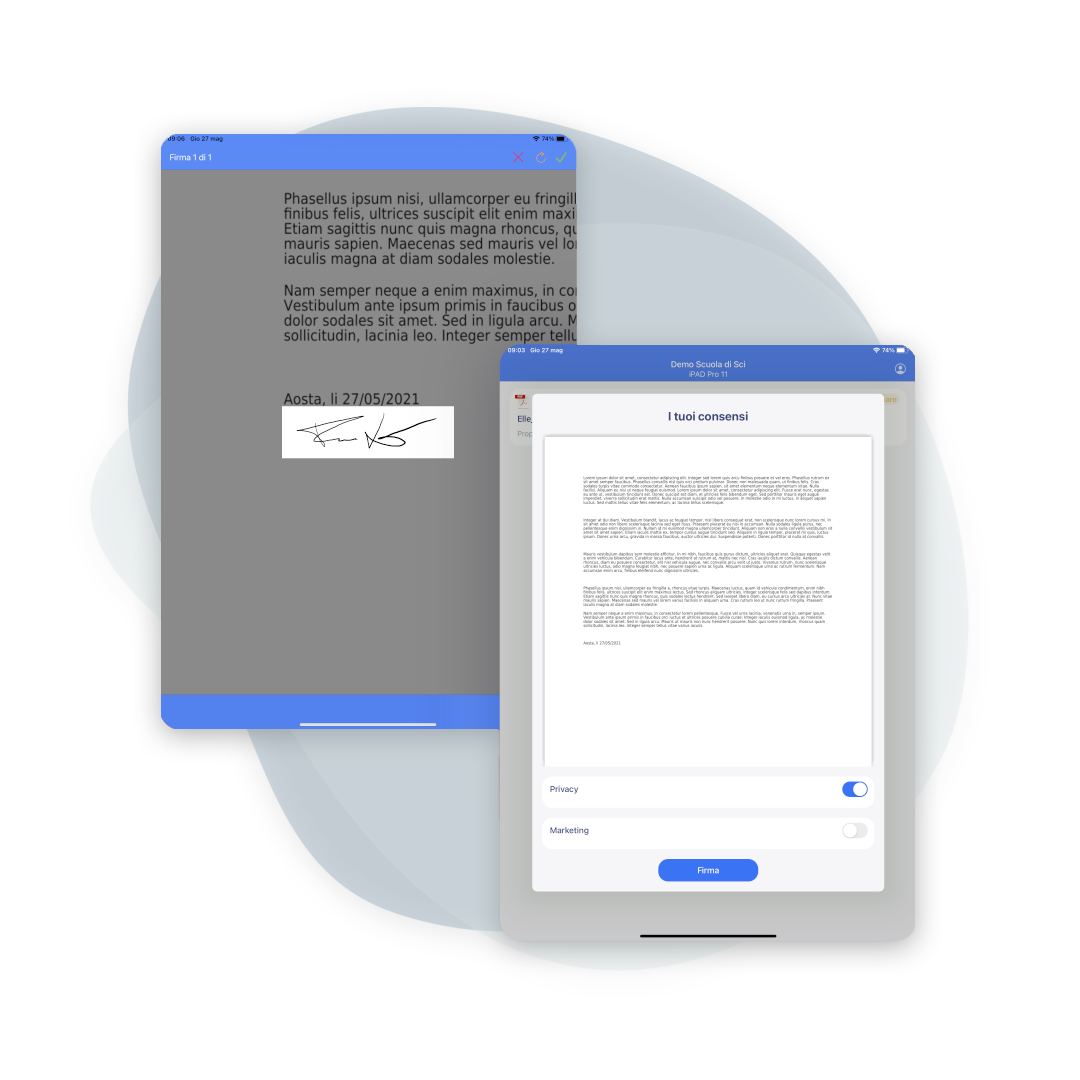
Check immediately if everything has been signed correctly
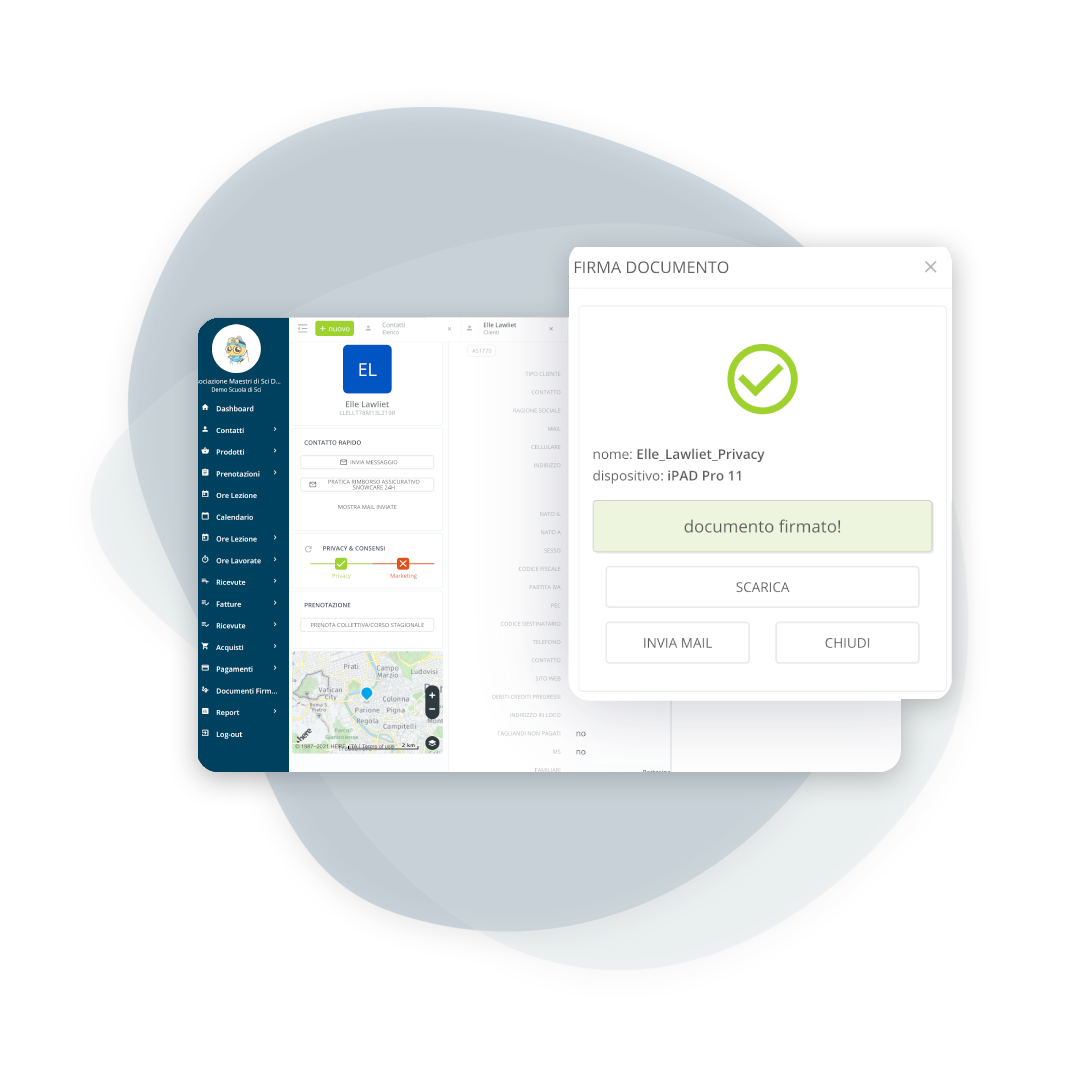
Check the signature outcome
Once signed, the document is synchronized and securely stored. The signature's biometric data is encrypted and protected, ensuring document integrity and data protection.
Frequently asked questions about form signing
The FEA is an electronic signature that uniquely links the signatory to the document and allows for the detection of any subsequent changes. A digital document signed with an FEA has the same evidentiary value as a handwritten signature.
You can have privacy forms, releases, informed consent forms, and any other school operating document signed. You can also submit multiple files at once in the same signing session.
Yes. Biometric information (blood pressure, speed, etc.) is encrypted and protected. The signed document is securely stored and cannot be modified without the system detecting alterations.
Download the Beebeesign app on a certified device, connect it to the platform, activate the license on the device, and send the documents for signature. The client signs on their tablet, and the file is automatically archived on the platform.
Yes, with remote signing: the document is sent from the management software and the signer receives a one-time code on their phone. It is the route for those who book from home and arrive on the slopes with everything already signed.
Whoever holds parental responsibility, and the form is made out accordingly. In ski schools this is the majority of cases, so it is best set up as the normal situation and not as an exception.
In the customer's record, with the date of the signature. There is no need to file it separately or keep the paper copy to find it again.
In the standard electronic signature formats, PAdES for PDFs and CAdES for other files, so it can be verified outside the management software too.
Let’s talk about your ski school
Have any other questions? Contact us now!