


Instructor clock-ins
Who was there, no arguments
Do you have a teacher listed as available but don't know if they've arrived yet? With Ingresso e Uscita, you can verify actual attendance in seconds, avoiding incorrect assignments and wasted time at the reception desk.

BeebeeSki
Real attendance, simpler management and fewer assignment errors
You choose the method: on-site hardware clocking in for guaranteed verification, or clocking in from the Maestri app when you prefer more flexible management. In both cases, you'll have real-time updates.
Secure identification, immediate operations
How does the time clock work?
The instructor identifies himself by holding his season pass near the reader: he is immediately recognized and can choose the action to record (Entry or Exit) on the display. The receptionist sees in real time who is present and can work without phone calls and "voice" checks.
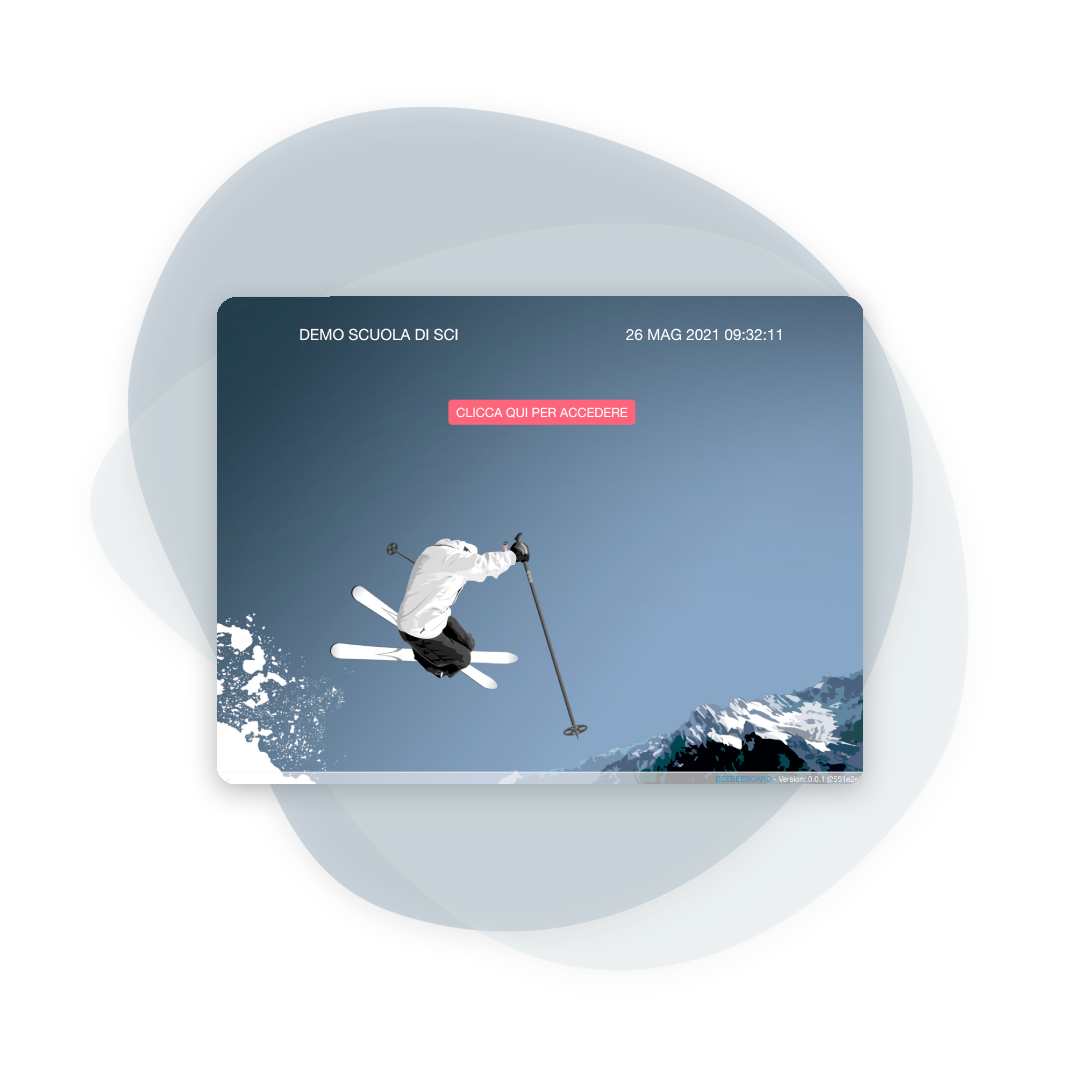
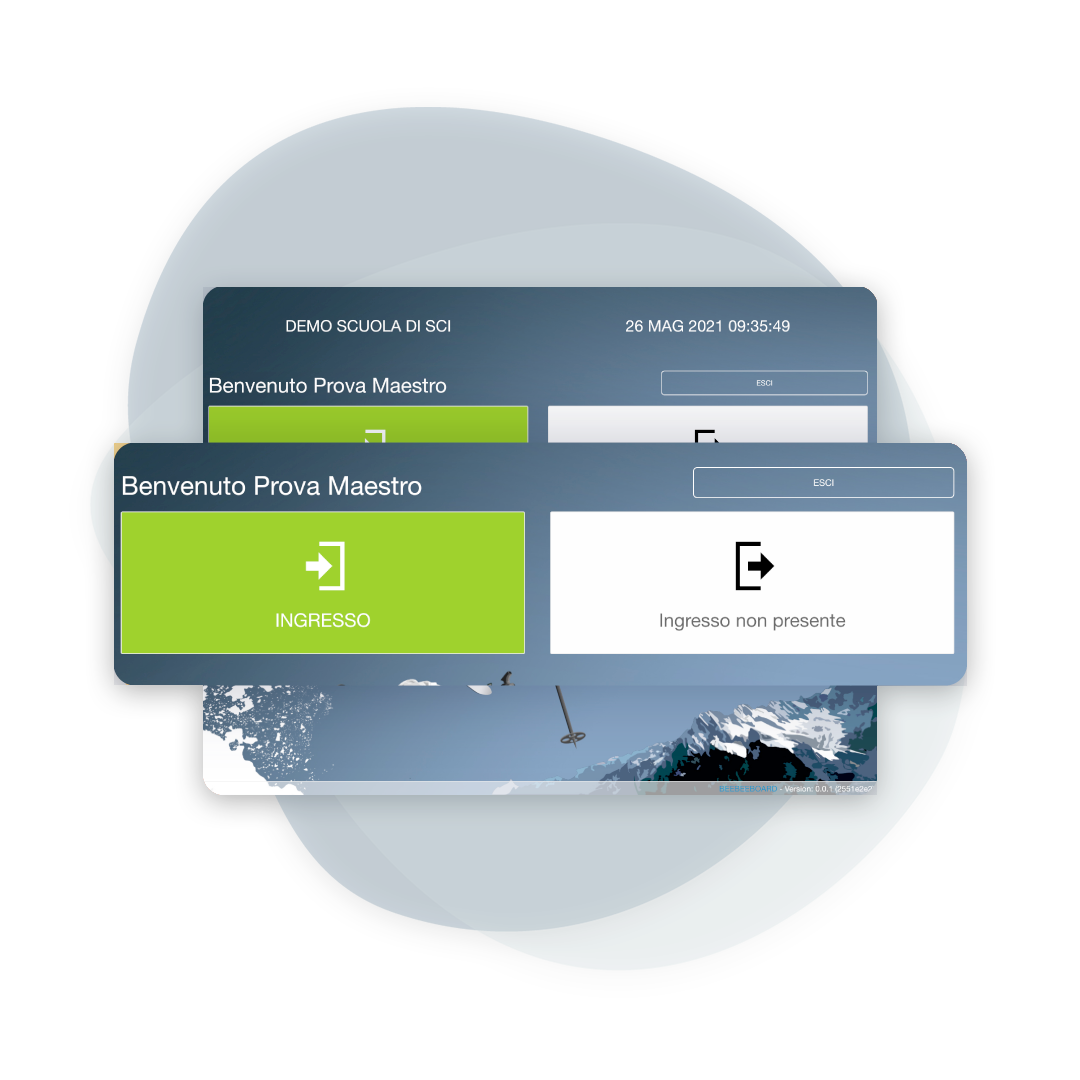
Presence traced, situation always clear
What is meant by input and output?
By checking in, the teacher confirms they're actually there; by checking out, they end the day. The office can view the list of teachers present at any time, reducing delays, mix-ups, and blind assignments.
Customizable rules, no forcing
How does it affect availability?
You decide how to use it: you can link availability to actual attendance (the teacher is "bookable" only after Check-in) or keep the two pieces of information separate. In any case, Check-in automatically closes availability in the hours preceding it, and Check-out removes it in the hours following it, keeping the timetable clear and consistent.
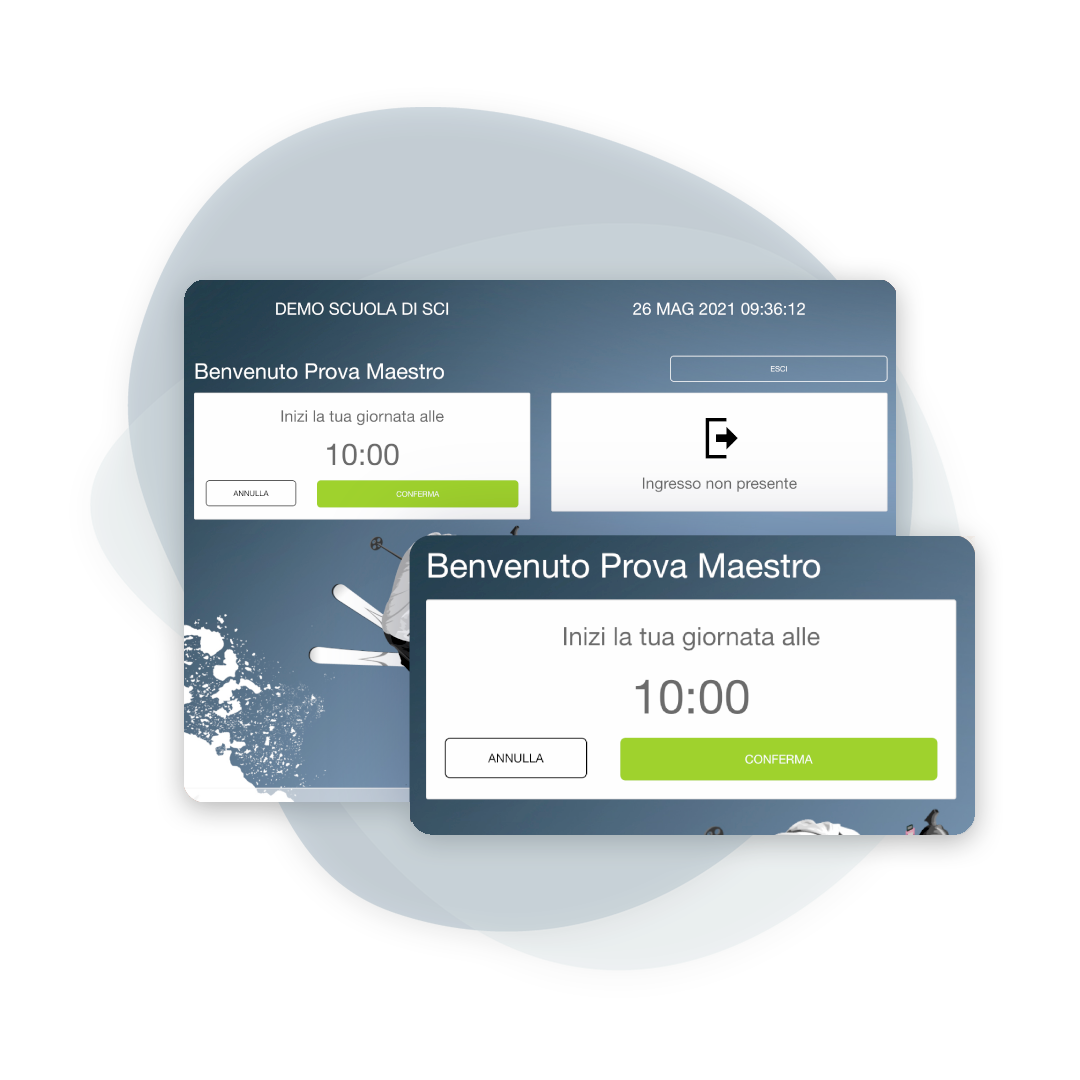
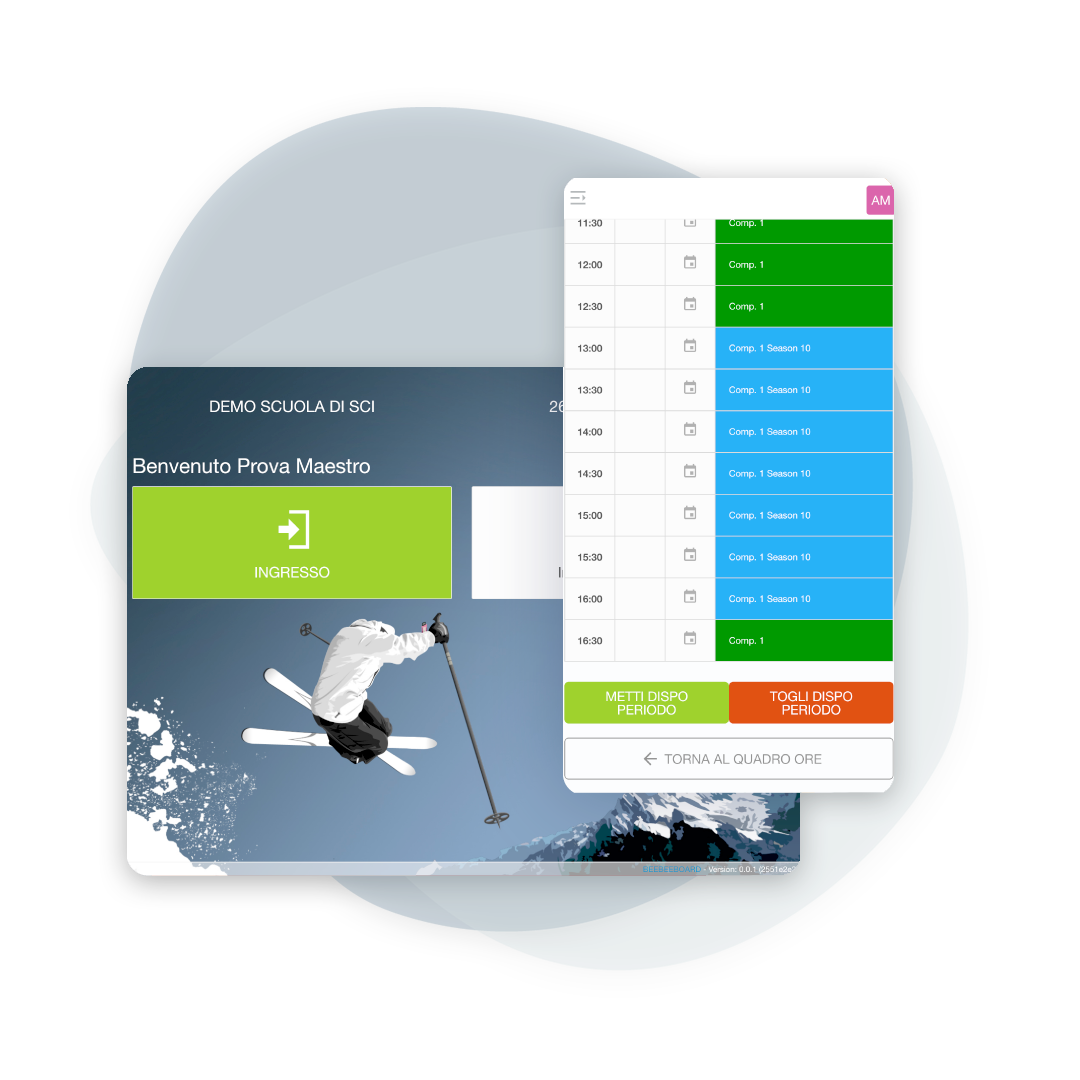
Convenient alternative when you want to avoid queues
Clocking in also from the Maestro App
If you prefer a more "soft" solution, enable Check-In and Check-Out from the Teachers app as well: the teacher clocks in and out from their phone, and the school office sees the update immediately. This is the ideal choice when you want to reduce on-site queues, knowing that physical check-in depends on the school's internal rules.
Quick fixes, confirmed attendance
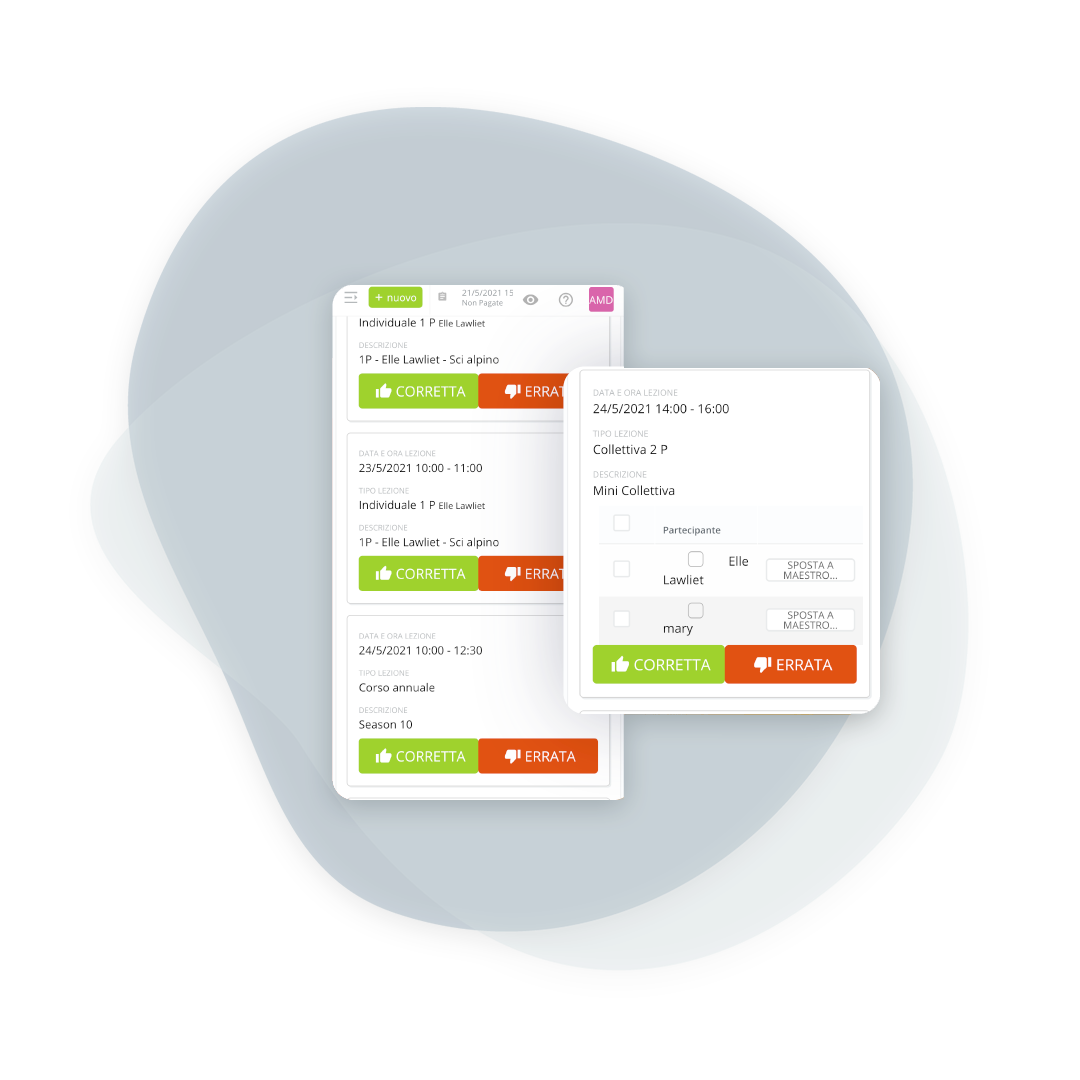
Movements and confirmations of attendance
During the season, adjustments are inevitable: instructors and the administration can move participants between groups as needed. At the end of the lesson, the instructor confirms attendance by scanning the barcode/QR code on the ticket. This is perfect for prepaid packages and non-consecutive days, with fewer disputes and more accurate counts.
Frequently asked questions about attendance
Yes, we can supply the time clock. Installation is simple: all you need is a power outlet and a network connection (wired or Wi-Fi). The cost depends on the needs and size of the school.
No operational blockages: the secretary can manually enter or correct entry and exit, keeping the history organized and consistent.
It's ideal when you want to avoid assigning lessons to teachers who haven't arrived yet, when you need to accurately track attendance and schedules, or when the location has rules requiring attendance by a certain time.
No, it's an optional feature: you only activate it if it brings value to your organization.
It depends on the school's rules: the on-site clocking-in machine guarantees physical presence, while the app is designed for convenience and speed. You can choose which method to use (or use both) based on your organization.
Yes, by anyone with permission, and the correction stays visible. On a figure that becomes pay, an untraced change is not acceptable.
Yes, and they are the check against the confirmed hours. The two are needed together: one says who was there, the other says what was done.
Yes, and the clock-in stays tied to the place where it happened. Anyone moving between several sites needs to know where, not just when.
Yes, by period and by instructor, in the same format needed by whoever prepares the pay.
Let’s talk about your ski school
Have any other questions? Contact us now!