


Teachers' scoreboard: timetable always under control
View all instructors' availability and schedules, avoid overlaps, and assign lessons in just a few clicks.
BeebeeSki
Customize the timetable for your ski school (even for the entire season)
See at a glance who's free, who's busy, and where. Plan days or weeks in advance, keeping things updated in real time.
Choose the most convenient view for the secretary and management
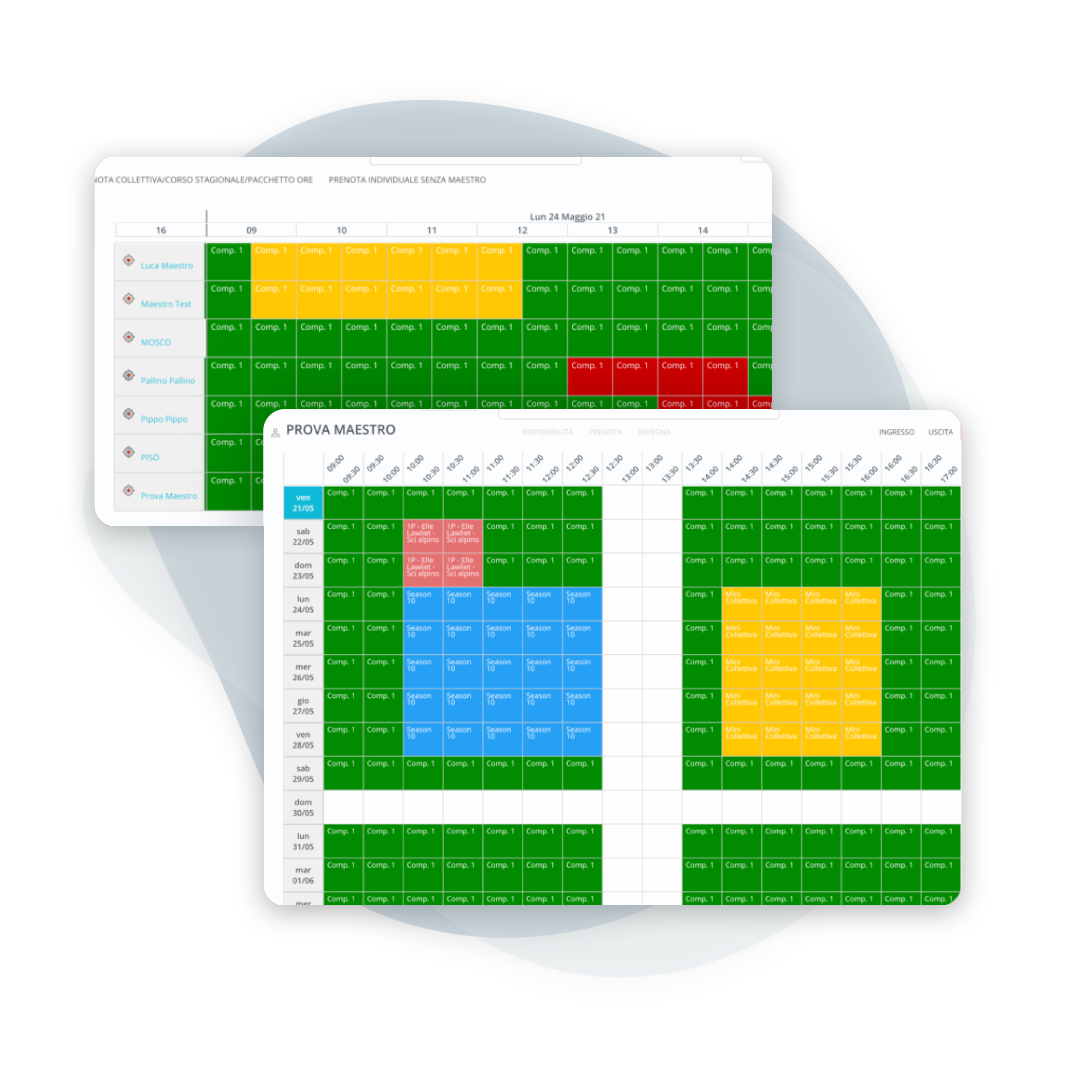
Double time table
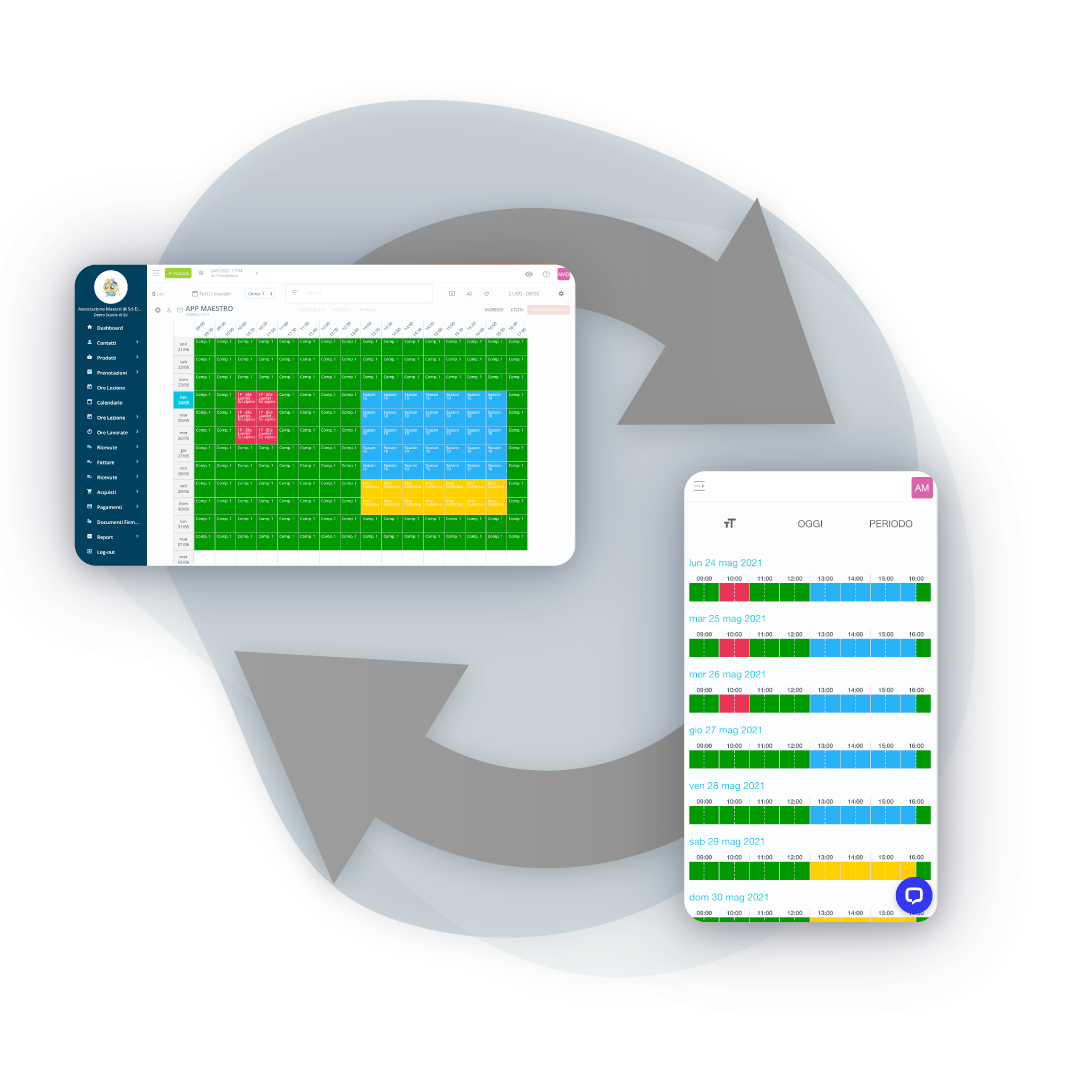
View a single master's seasonal chart or check up to 14 days Of all the masters in a single screen. The board manages lessons at whole hours or to half an hour, for maximum flexibility.
A unique method: work faster, with fewer errors
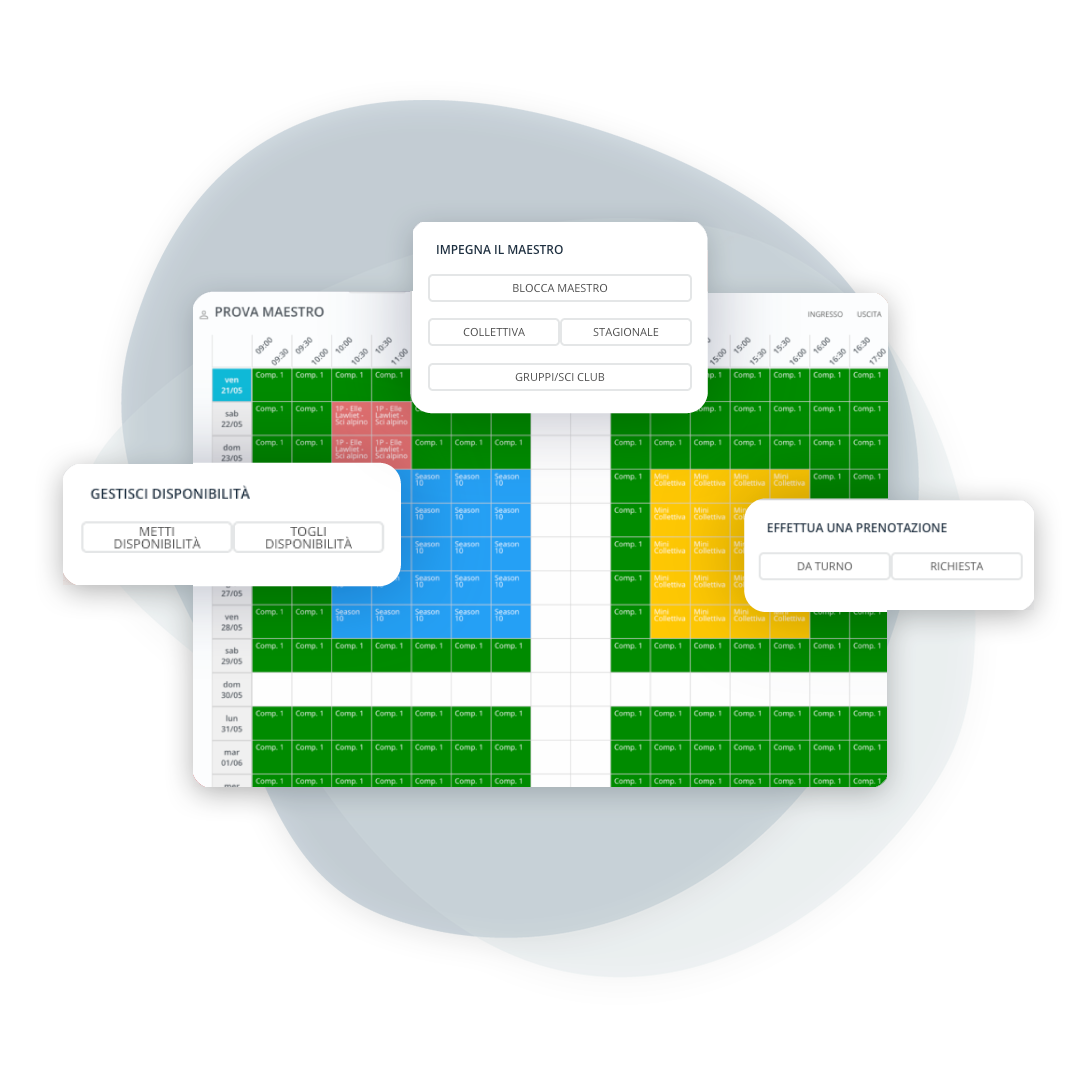
All essential operations in just a few clicks
From the board you can do everything the secretary needs, without changing screens:
- to make or take away the availability of a teacher
- engage instructors for courses, ski clubs or groups
- block time slots (meetings, transfers, breaks)
- book individual or group lessons
- find the first available teacher
- filter by availability, languages spoken and disciplines
Move, duplicate, and correct without re-booking from scratch
Edit lessons on the fly
Manage unexpected events and last-minute changes in an orderly manner:
- Move a class to another time
- Copy and paste the same lesson to other slots or teachers
- Update number of participants and price
- Change master while keeping all the details
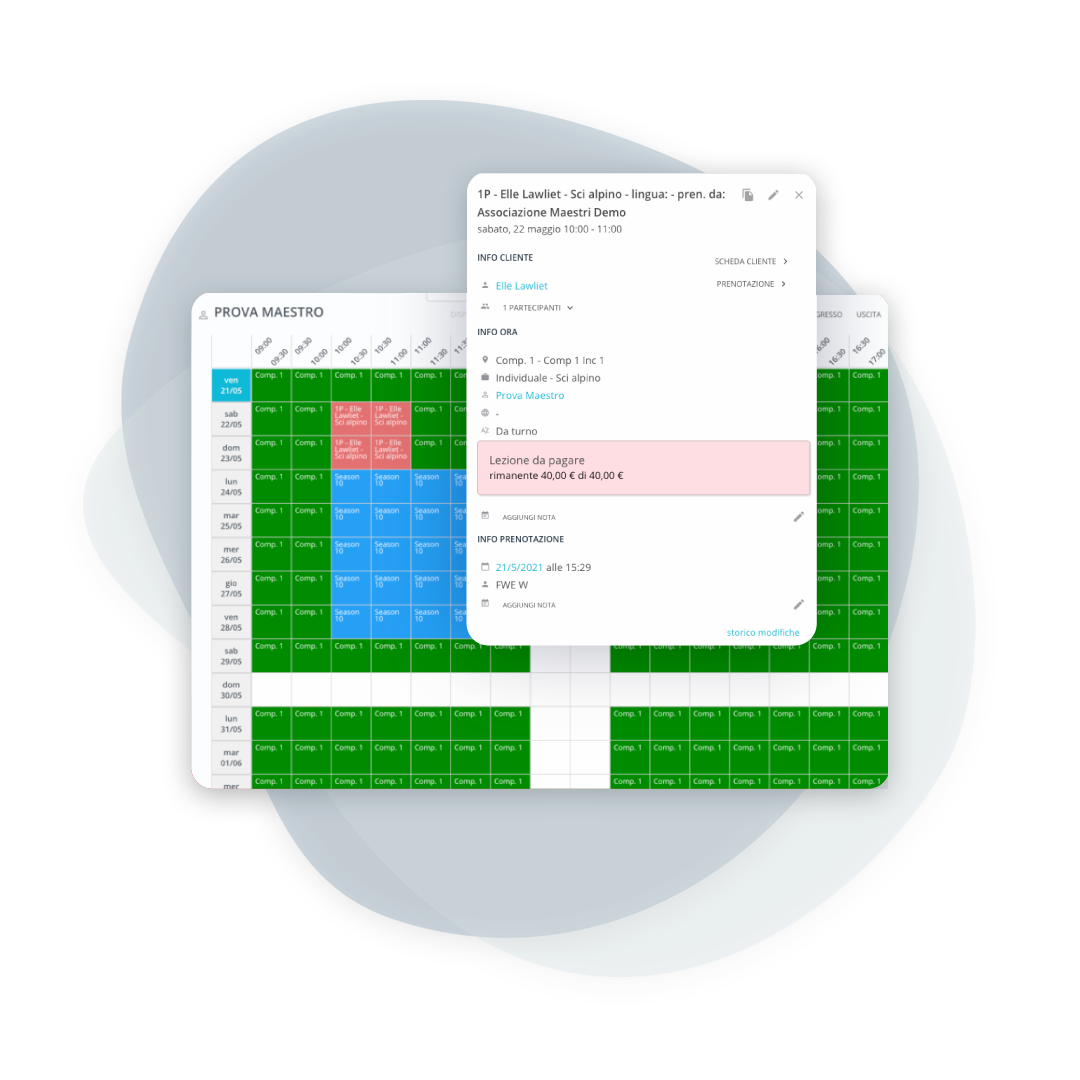
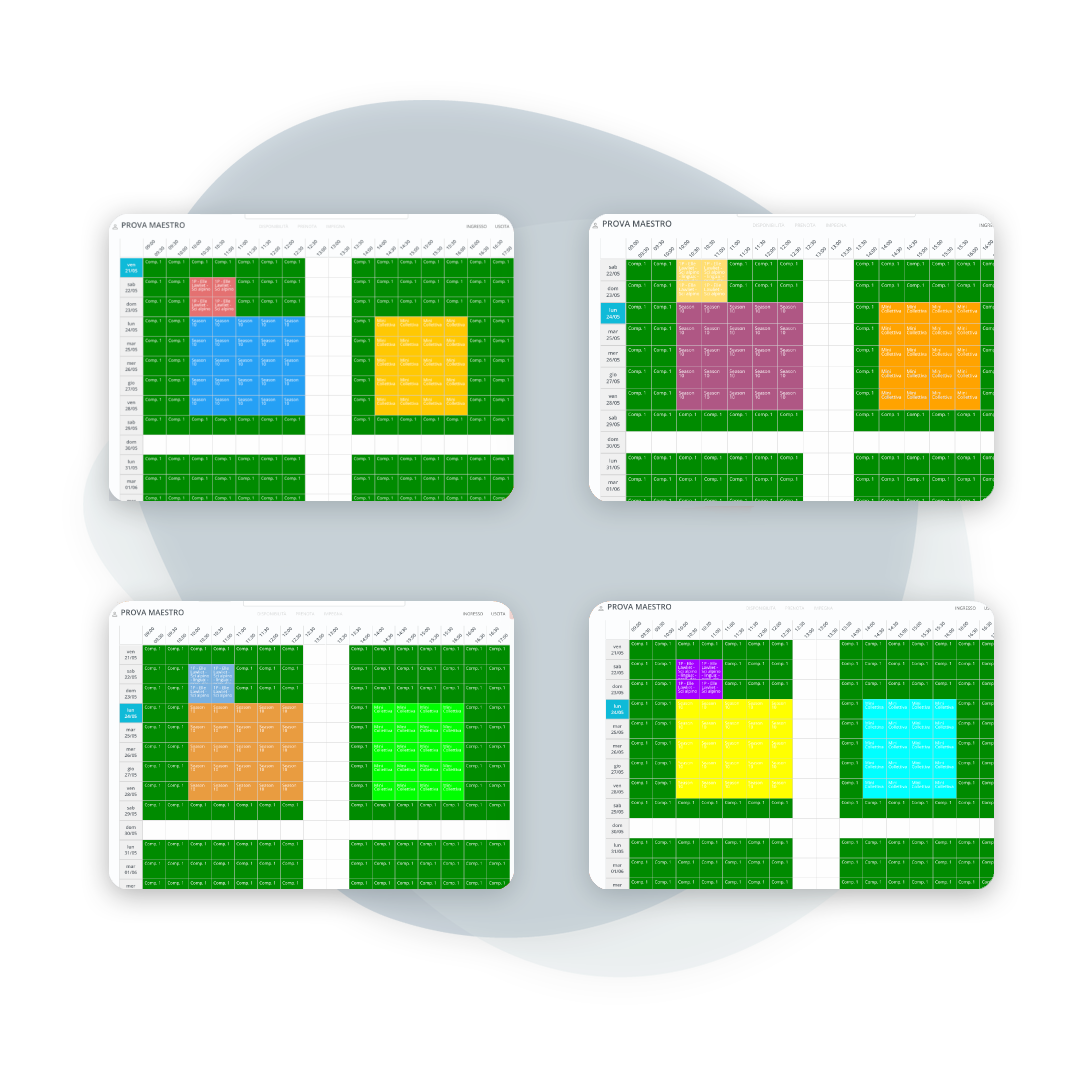
You immediately understand what is paid, what is to be collected and how the lesson was assigned
Customizable colors and states
Assign a color to each product (individual lesson, group lesson, course). For individual lessons, you can also distinguish between paid / to be paid and between lessons with teacher required or assigned automatically via shift. More clarity, fewer phone calls, fewer manual checks.
Perfect even with multiple secretaries and multiple workstations at the same time
Real-time updates, zero overlaps
BeebeeSki automatically prevents duplicate bookings for the same instructor and time slot. The timetable is updated in real time for the administration, management, and instructors: fewer conflicts, fewer corrections, more peace of mind.
Frequently asked questions about the instructor board
There is no practical limit on the number of accounts in the secretarial area. Secretarial staff, operators, and management can access the global timetable. Instructors and clients, however, use reserved areas where they only view the information pertaining to their area of expertise.
Yes. You can view the number of available teachers hourly and filter by parameters such as the teacher's gender, languages spoken, and disciplines.
No. The same account can be accessed from multiple devices at the same time.
Yes. You can manage lessons across multiple ski areas and have different meeting points (even within the same ski area). The ski area and meeting point are always specified in each booking.
Yes, availability changes at the same moment for everyone who is looking at it. At a desk with several workstations it is the only way to avoid assigning the same instructor twice.
Yes, you move to the date you want. It is how a high season week is prepared: you look at where instructors are missing before the bookings arrive, not after.
Yes, the instructor board can be filtered, and schools running ski and snowboard together work on one view at a time instead of a single list.
Yes, and schools still keep the copy pinned up on site for the instructors who do not use the app. The printed version, though, is frozen at the moment of printing: the one that counts is still the instructor board on screen.
Let’s talk about your ski school
Have any other questions? Contact us now!