

Automatic reminders for medical practices
Fewer missed appointments
Too many patients don't show up? Is the receptionist wasting time calling everyone back? With BeebeeDoc's automatic reminders, you can reduce no-shows, improve your schedule management, and offer a more professional service.
The problem: forgotten appointments and empty slots weighing on the organization.
The solution: automatic reminders for medical appointments integrated into the management system
BeebeeDoc is a cloud-based medical practice management software that automates the sending of email and SMS reminders. You set the rules once, and the system automatically notifies patients. The result: fewer missed appointments, fewer manual calls, and a more stable and predictable schedule.
Simple automation, concrete results
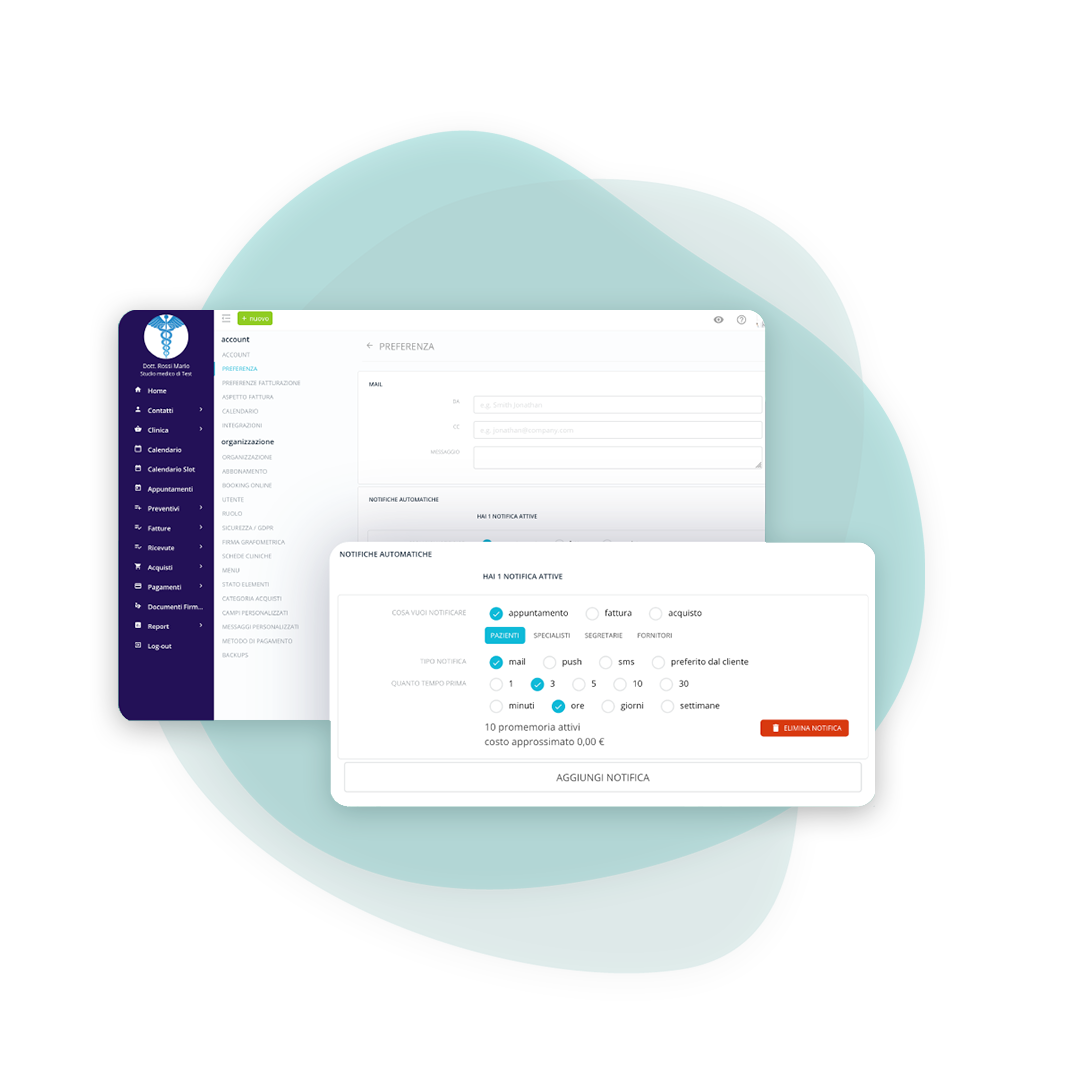
Set when to send reminders
Decide how many reminders to send and how far in advance. You can choose different channels: for example, email a few days before and text message on the day of the appointment. This way, you'll catch forgetful appointments and drastically reduce no-shows, eliminating manual work for your receptionists.
Clear and professional communication
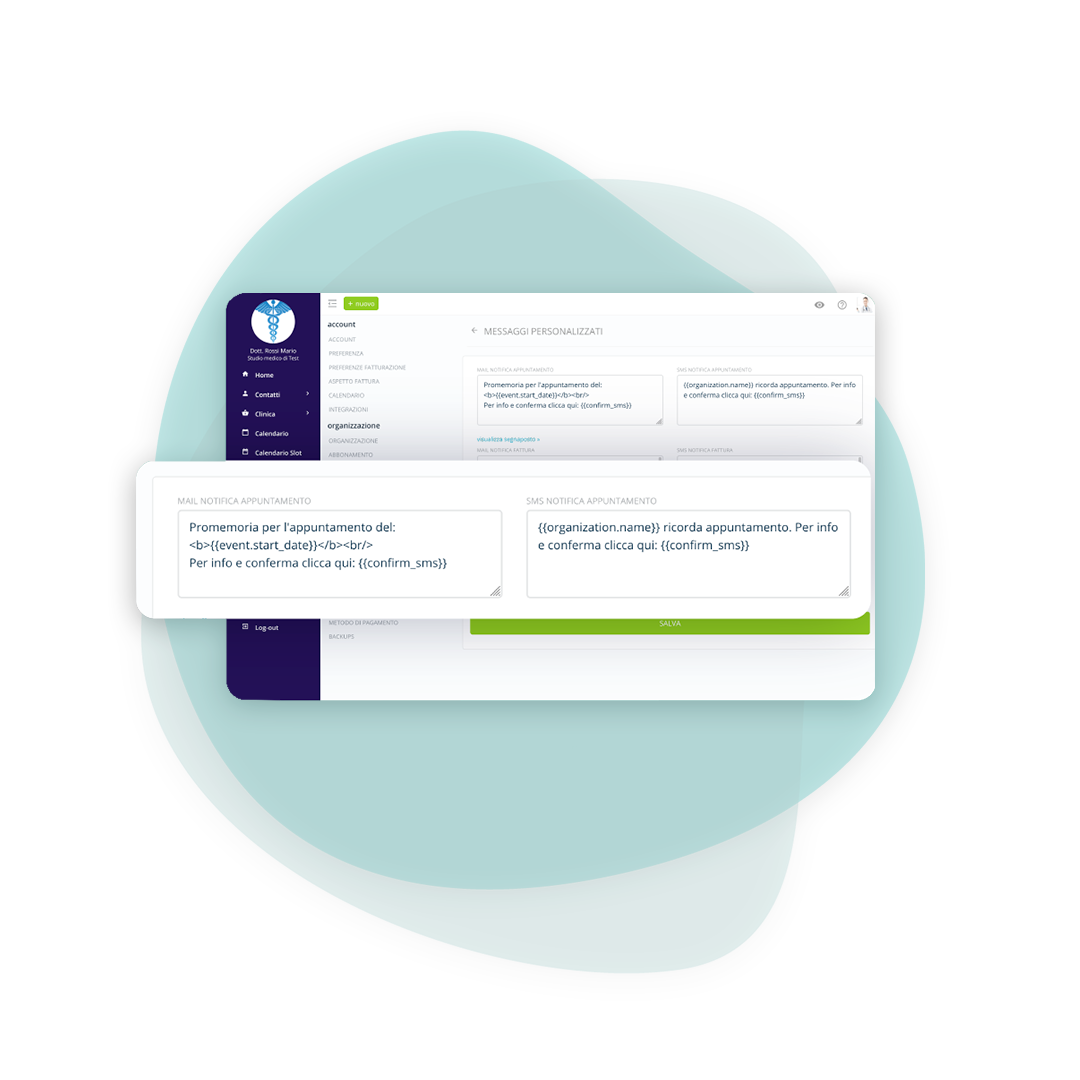
Customize the message text
Personalize emails and text messages with the patient's name, time, location, and any instructions. Clear messaging reduces errors, misunderstandings, and delays, improving the patient experience and the practice's image.
Recover slots and optimize your schedule
Ask for appointment confirmation
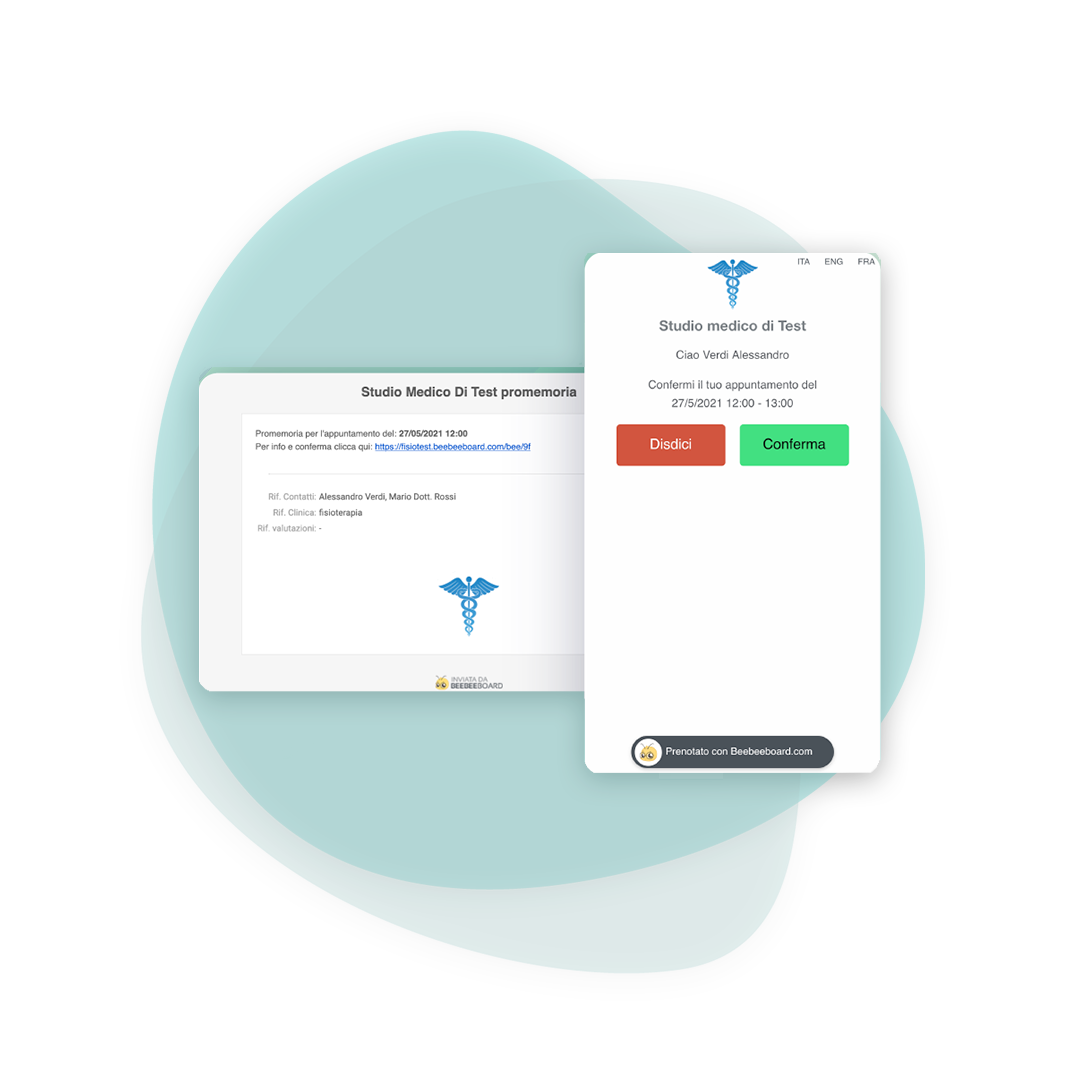
Patients can confirm or cancel their appointment with a single click. If they cancel early, you can reassign the slot to someone on the waiting list. This way, you avoid missed appointments and maintain high office productivity.
Frequently asked questions about automatic reminders
From the settings, you can choose how many notifications to send, who to send them to, and how close to the appointment. Once configured, reminders are sent automatically.
Email delivery is included. SMS messages are available in bundles: each message counts against the purchased credit until it runs out.
All you need is the patient's email address or phone number. You don't need to install anything: they receive the message and can confirm the appointment with one click.
The reminder contains a button that takes you to a dedicated page with appointment details. Patients can quickly and easily choose between "Confirm" or "Cancel.".
They are bought in packs, from a thousand messages up, and they do not expire at the end of the month. Email reminders, on the other hand, are included in the fee: SMS are for when you want to reach the phone as well.
You decide it in the settings, and it applies to all the appointments that follow. Practices with long waiting lists keep it wide, to have time to fill the place if someone cancels.
Yes, the text can be edited and pulls in the appointment details: date, time and specialist are inserted on their own. For SMS it is worth keeping it short, because beyond a certain length the message counts double.
The reminder does not go out for that patient and the appointment stays as normal in the calendar. The software does not block the booking for a missing contact detail: it flags it, and that is all.

Freelancer
For practitioners working on their own, with no front desk

Medical Office
For various specialist figures who share the work environment

Outpatient clinic
For more complex clinical structures where different professional figures cooperate
Try BeebeeDoc for free for 15 days
Your practice is created right away with your email. Within 24/48 hours we call you to set it up and import your data.