


Accounting for clinics and practices
The books stay inside the system
Between invoices, payments, purchases, and the general ledger, it's easy to waste time and make mistakes. With BeebeeDoc, you can organize your accounting in a single workflow: customized invoices, purchase reports, general ledger reporting, and payment collection, all in a simple and traceable way.

The problem: Accounting is time-consuming and often falls behind.
The solution: accounting integrated into the management system, clear and ready to share
Accounting in the healthcare sector requires precision and organization. With BeebeeDoc, you can create tax documents in just a few clicks, record receipts and payments, track purchases and cash movements, and generate your journal entries without cluttering up your accounts. This reduces errors and wasted time, and you always have an up-to-date overview to share with your accountant.
Professional documents, consistent with your brand
Custom templates
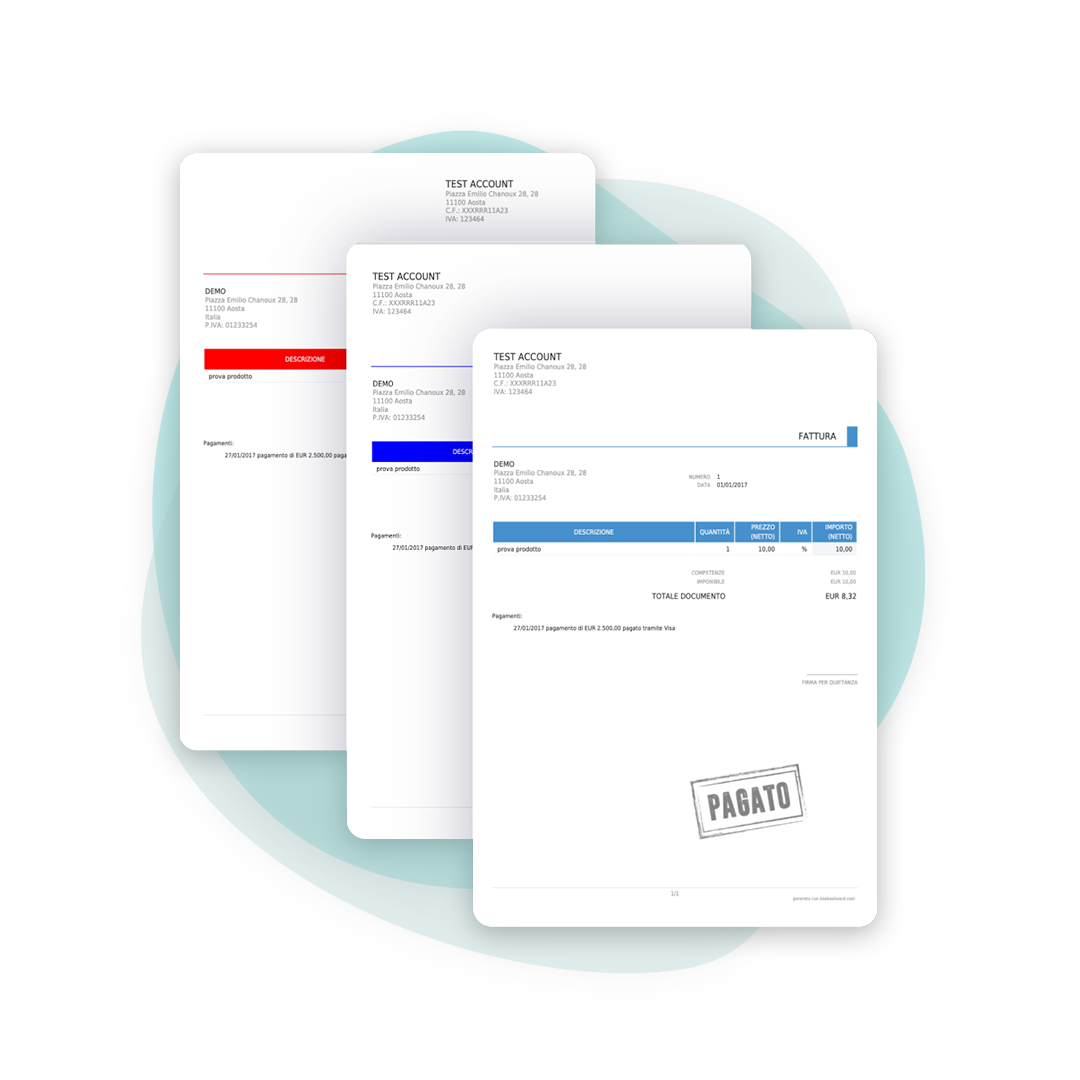
Create invoices and tax documents with custom logos, colors, and text. Email them directly to patients with one click, maintaining a clean and professional image.
Set up once, then automatic calculations
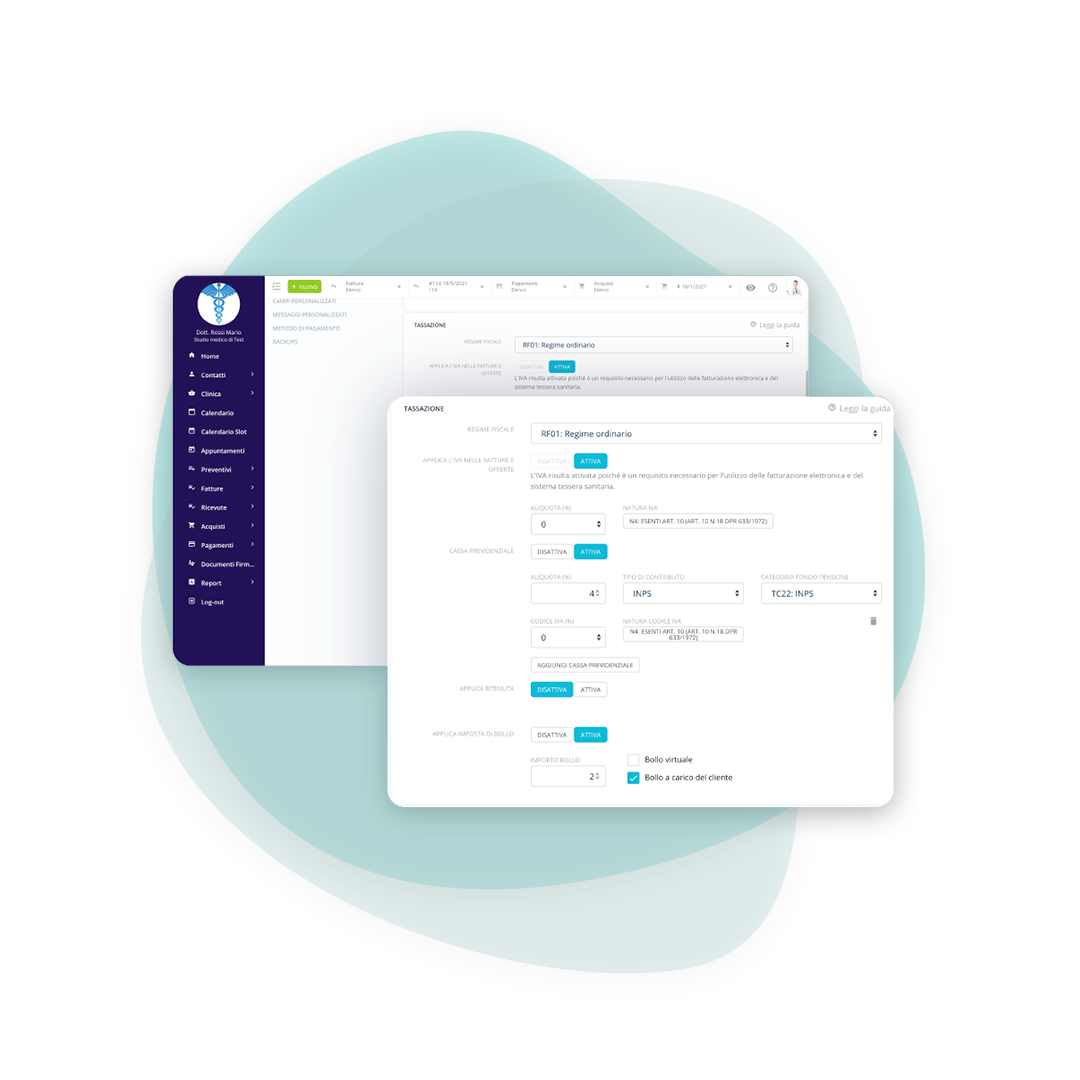
Set up your billing information
Set up your billing information once and then generate invoices in just a few clicks. Numbering and calculations are handled automatically by the system, so you can work faster and with less risk of errors.
- Stamp duty (virtual and otherwise)
- Different sectionals
- VAT rates and related exemptions
- Withholding taxes
- Social security fund and compensation
Keep costs and margins under control
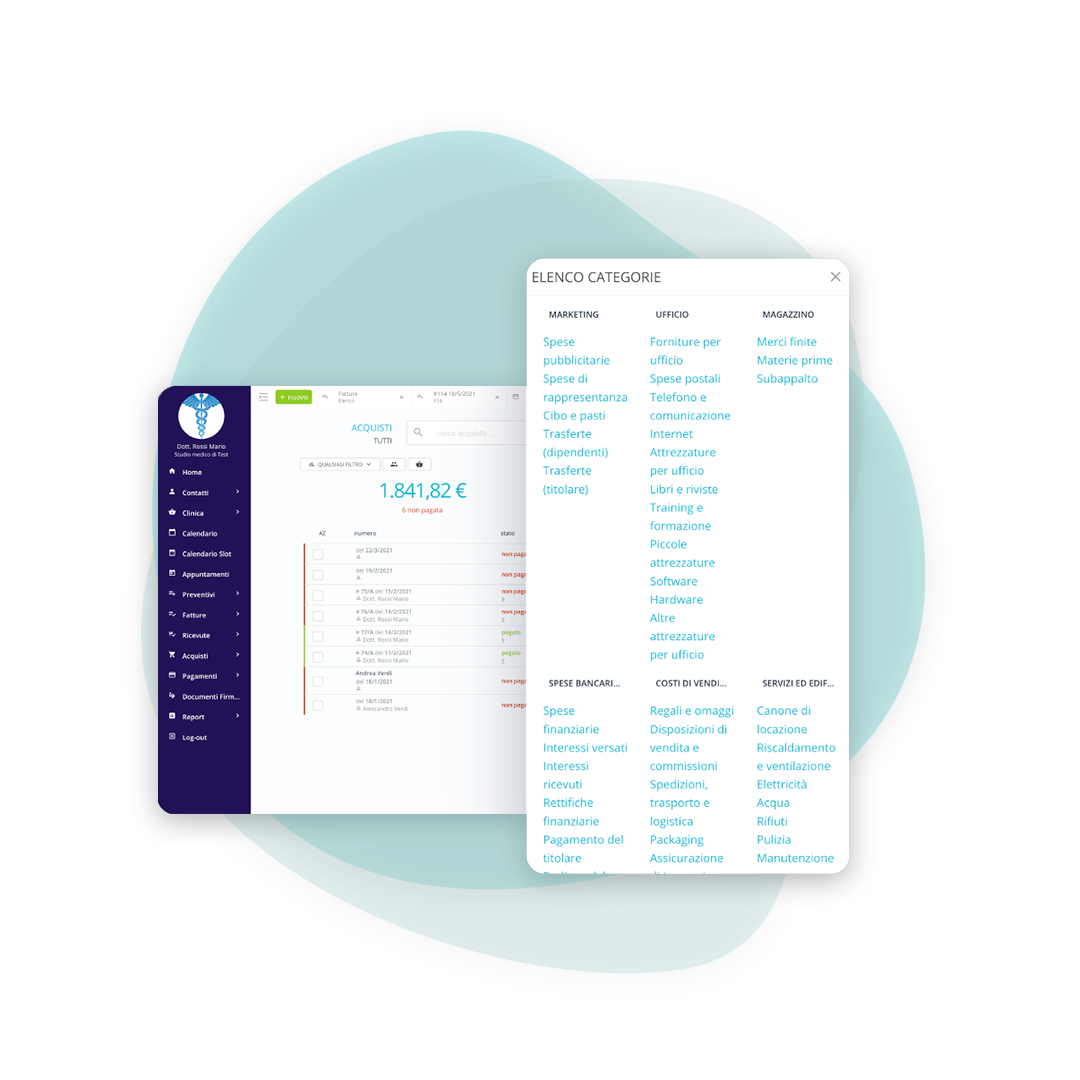
Record your expenses
Record purchases and invoices to gain a comprehensive overview of your financial situation. This way, you have real, up-to-date data that's useful for decision-making and management control.
Easily reconcile documents and receipts
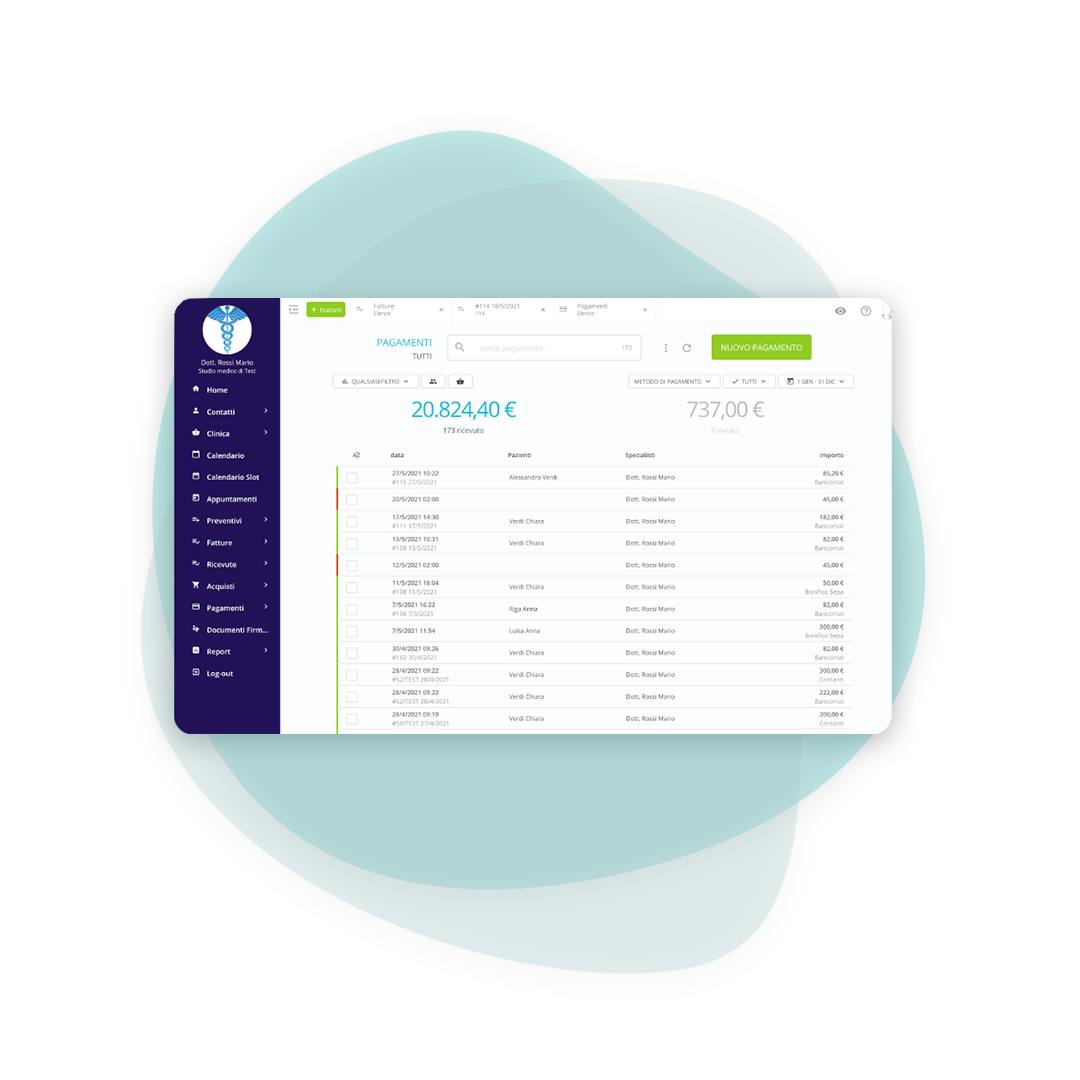
Record all payments both incoming and outgoing
Link payments and tax documents with customized methods. By enabling online payments, patients can pay directly from the invoice received via email with one click, and the payment is automatically recorded.
Order for you, clarity for the accountant
A small summary of your company
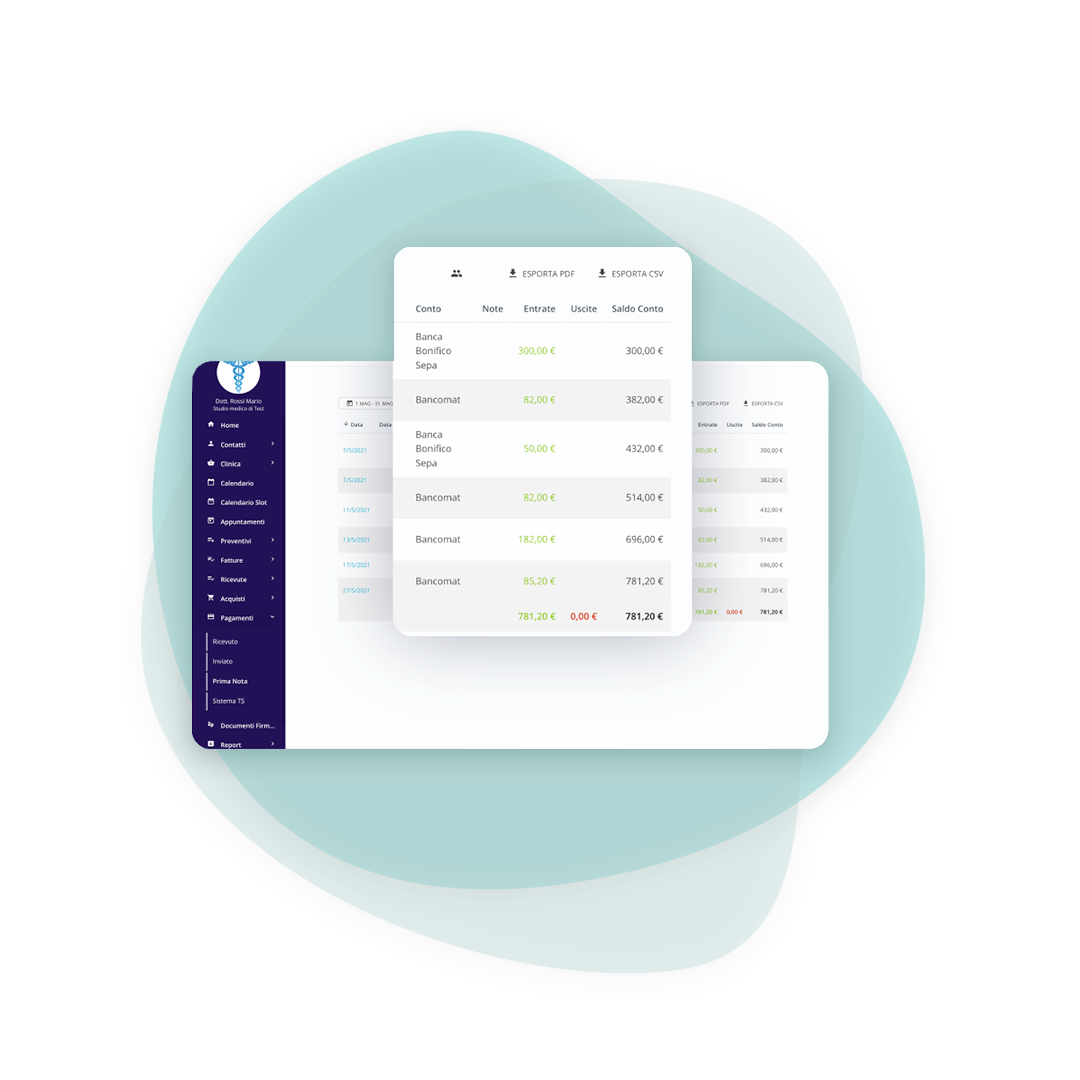
Organize cash or bank transactions and prepare the journal entry. This helps you avoid missing any transactions, have an up-to-date summary, and provide your accountant with more complete and organized data.
Frequently asked questions about accounting
After setting up your billing information, you can generate the invoice directly from the patient's record or appointment. The lines can be customized based on the service, specialist, or other useful information.
Yes. The entire platform is compliant with the European GDPR and the data resides on Amazon Web Services infrastructure in Frankfurt, therefore within the European Union.
In the invoices section, you'll find a distinction between paid and unpaid invoices. When you record a payment linked to an invoice, if the amount is equal to or greater than the total, the invoice automatically changes to "Paid.".
You can manage invoices, credit notes, purchases, estimates, and receipts, keeping everything organized and accessible in one place.
You can enter expenses manually (if they aren't electronic) and break down the purchase by tax. You can also upload the document to archive it digitally and retrieve it whenever you need it.
Yes. You can import invoices and purchases in XML format, the standard used for electronic invoicing, even in bulk.
With a credit note linked to the original document, which is the route provided once the invoice has been accepted. The practice management software generates it without redoing the lines by hand.
These are the responses of the Sistema di Interscambio (Italy's e-invoicing exchange system): delivered, in processing, rejected. When a document is rejected the reason arrives together with the status, and the documentation lists the errors with the remedy for each one.
Yes, with the cash book, which sets cash movements alongside the tax documents. It lets you close the day knowing how much actually came in, not just how much was invoiced.
By exporting invoices and purchases in PDF and XML for the period you need. It is the same format the accountant receives from the portals, so there is nothing to convert.

Freelancer
For practitioners working on their own, with no front desk

Medical Office
For various specialist figures who share the work environment

Outpatient clinic
For more complex clinical structures where different professional figures cooperate
Try BeebeeDoc for free for 15 days
Your practice is created right away with your email. Within 24/48 hours we call you to set it up and import your data.